Table of Contents
Here’s a statistic that explains why your spam problem keeps getting worse despite your diligent unsubscribing: consumer-protection data cited by the FTC shows that 70 to 80% of people who click unsubscribe links in spam emails receive two to three times more unwanted mail within thirty days.
Read that again, because it inverts the instinct everyone has. For a certain class of sender, the unsubscribe click is the product: it proves your address is real, actively read, and belongs to someone who opens junk mail, which makes it more valuable on every list it gets sold to next. You weren’t opting out. You were raising your hand.
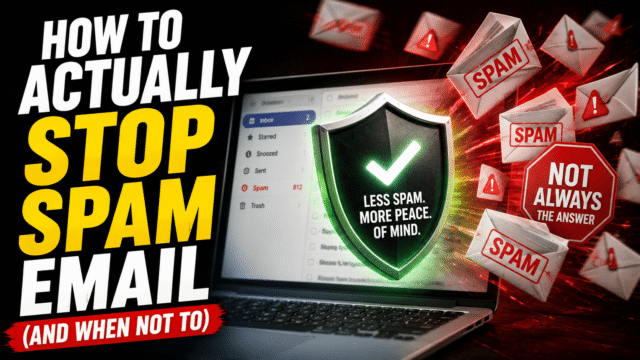
So this guide starts where the others don’t: with the rule for when unsubscribe works and when it backfires, then the ten-minute cleanup using tools Gmail only recently shipped, and finally the prevention layer that stops feeding the machine entirely. Roughly 45% of all email is spam; your inbox doesn’t have to reflect that.
Why You’re Getting So Much Spam
Your address leaks through four doors. Data breaches dump it into criminal circulation by the million, which is the same aftermarket we mapped in our breach guide. Legitimate companies you signed up with sell or “share with partners” per the checkbox nobody reads. Scrapers harvest addresses posted publicly on forums, listings, and profiles. And, most underrated, your own behavior confirms you: opening messages with tracking pixels loaded and clicking anything in junk both mark your address as live and engaged, promoting it up the value chain. Every fix below targets one of those doors.
The Unsubscribe Rule (Memorize This One)
Unsubscribe from senders you recognize and genuinely signed up with. Report as spam everything else. Never unsubscribe from a sender you don’t recognize.
The logic: legitimate businesses are legally bound to honor unsubscribes, and the system got dramatically better recently, since Google now requires bulk senders to offer one-click unsubscribe, honor it within 48 hours, and keep complaint rates low, on pain of having their mail rejected outright. That’s why Gmail surfaces a clean Unsubscribe button right next to a legitimate sender’s name; for those senders, the button is safe, reliable, and the correct tool.
True spammers live outside that system. They aren’t bound by anything, their unsubscribe link is a liveness probe (or worse, a malicious page), and the FTC numbers above are the measured result of negotiating with them. You don’t ask a burglar to take you off his route. You report him, which brings us to the buttons.
The Three Buttons, and What Each Actually Does
Gmail gives you three similar-looking actions with completely different machinery, and using the wrong one wastes your effort.
Report spam is the powerful one: it trains Gmail’s machine-learning filter on the message’s pattern, catching future variants even when the spammer rotates addresses, and it dings the sender’s reputation across Google’s systems. Use it for everything deceptive, unexpected, or unrecognized. Deleting, by contrast, teaches the filter nothing; a deleted spam email is a spam email that will return with a new address.
Block sender routes one specific address to spam forever. Use it for the legitimate-ish sender who ignores your unsubscribe, and know its limit: spammers burn addresses constantly, so blocking pure spam is whack-a-mole.
Unsubscribe, per the rule above, is reserved for the brands you actually know.
Order of operations for anything junky: report first, block the persistent, and save unsubscribe for the recognizable.
Cleaning Up the Legitimate Senders in 10 Minutes
Most inbox misery isn’t criminal spam at all; it’s the hundred newsletters and promo lists past-you agreed to. This cleanup got dramatically easier recently.
Gmail’s Manage Subscriptions page (in the left-hand menu on the web, and rolled out to the mobile apps) lists every subscription sender in one place, sorted by how often they email you, with one-click unsubscribe handled by Gmail on your behalf. Open it, sort by frequency, and work down the list ruthlessly; the top ten senders usually account for half your daily clutter. Outlook users have the equivalent under Settings, Mail, Subscriptions. One expectation to set: senders can legally take a few days to stop, so the quiet arrives next week, not tonight.
For the stubborn and the semi-wanted, filters finish the job. Click the sliders icon in Gmail’s search bar, set From to the sender or their whole domain, and choose the outcome: skip the inbox and archive (the quiet option for newsletters you occasionally want), label it, or delete on arrival. Tick the box to apply it retroactively and years of clutter vanish in one stroke. One safety rule with auto-delete: keep anything financial, security-related, or governmental explicitly out of aggressive filters, because the password reset you actually requested must never die in a rule you forgot.
While you’re purging: empty the spam and trash folders, which, as we covered in the Google storage guide, count against your 15GB the whole time they sit there.
Training the Filter (and Starving the Trackers)
Two quiet settings multiply everything above. First, keep reporting spam consistently for a few weeks; the filter genuinely learns your inbox’s shape, and the volume reaching you drops. Second, stop confirming your reads: most marketing and spam mail embeds an invisible tracking pixel that fires the moment images load, telling the sender a human opened it. In Gmail’s settings, set external images to “Ask before displaying”; Apple Mail users have Protect Mail Activity. To a list broker, an address that never confirms opens looks dead, and dead addresses get pruned.
Aliases: The Prevention Layer Nobody Uses
Everything so far manages the flood. This part turns off the tap for the future: stop giving out your real address.
The free entry-level version is Gmail plus-addressing: sign up for a shop as [email protected], and mail still reaches you, but now every message is tagged with who you gave it to. When spam arrives addressed to the alias, you know exactly who leaked or sold you, and one filter kills that alias forever. The honest caveat: the trick is well known, and sophisticated spammers strip the plus part.
The robust version is true aliasing, where your real address is never exposed at all: iCloud+’s Hide My Email generates a unique random address per signup that forwards to you, and independent services like Firefox Relay, SimpleLogin, and DuckDuckGo’s email protection do the same across platforms. Adopt one habit, unique alias for every new signup from today, and future breaches and list sales leak an address you can delete in one click, while your real inbox stays clean at the source. It’s the single most durable move in this entire article.
When Spam Turns Into Phishing (Know the Difference)
One boundary matters for safety: spam wants to sell you something, phishing wants to be you. The moment a junk message asks you to log in, verify an account, pay a fee, or open an attachment, you’ve left annoyance territory and entered the patterns we’ve catalogued in our scams guide, and the rules harden accordingly: no clicks, no downloads, no unsubscribing, just report as phishing (Gmail offers it in the same menu as report spam) and move on. A spoofed display name costs a scammer nothing, so “looks like a company I know” proves nothing by itself.
Quick Answers
Should I unsubscribe from spam emails?
No. For unknown senders, the click confirms your address is live, and FTC-cited data shows most people who do it get several times more junk within a month. Report as spam instead. Unsubscribe only from brands you knowingly signed up with.
Does reporting spam actually do anything?
Yes, more than any other action: it trains Gmail’s filter on the pattern, catching future variants and hurting the sender’s standing. Deleting does nothing.
What’s the fastest way to unsubscribe from many emails at once?
Gmail’s Manage Subscriptions page lists every subscription sender by frequency with one-click removal, and Outlook has an equivalent under Settings, Mail, Subscriptions.
Why does spam come back after I block it?
Blocking stops one address, and spammers rotate addresses constantly. Reporting targets the pattern instead of the address, which is why it’s the stronger tool.
How do I stop spam before it starts?
Give every new signup a unique alias (Hide My Email, Firefox Relay, SimpleLogin, or Gmail plus-addressing) and block tracking images. Leaks then burn a disposable address instead of your real one.
The Bottom Line
Spam is a systems problem, and the winning system has three layers: triage with the right button (report the unknown, block the stubborn, unsubscribe only from the known, never negotiate with actual spammers), purge the legitimate clutter through Manage Subscriptions and a few retroactive filters, and then cut off the supply, aliases for every future signup and images off, so your real address stops being confirmed, sold, and resold. The first two layers clean this month’s inbox. The third is why next year’s stays that way.