Table of Contents
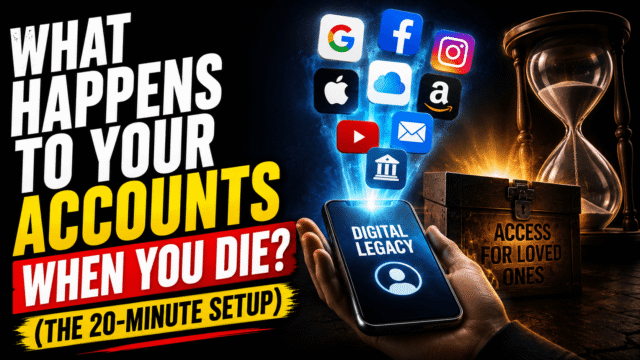
This is the article nobody wants to read and everyone’s family eventually wishes they had. So I’ll keep it practical, unsentimental, and short enough to act on tonight, because the entire fix takes about twenty minutes, and the difference it makes is enormous.
Here’s the default, stated plainly: if you do nothing, your accounts don’t pass to your family. A death certificate does not open your Gmail. Apple will point your grieving spouse toward a court order for the family photos in your iCloud. Encrypted services can’t hand over your messages even if they want to. And on a slower clock, inactivity policies and failed subscription payments quietly delete what you left behind. None of this is malice; it’s privacy law and security design doing exactly what we ask of them while we’re alive. The platforms know this creates heartbreak, which is why the big ones built legacy tools. They just made them opt-in, and almost nobody opts in.
Let’s opt in.
Google: The Setting That Matters Most (7 minutes)
If you do exactly one thing from this article, make it this one, because for most people their Google account holds the irreplaceable core: decades of email, every photo, the documents.
It’s called Inactive Account Manager, and it works like a dead man’s switch you configure in advance. You choose an inactivity period, from 3 to 18 months. If your account goes silent that long (Google checks sign-ins and activity, and warns you by phone and email before acting), your plan executes: up to 10 trusted contacts are notified, verified by SMS, and granted access to exactly the data you selected in advance, Gmail, Photos, Drive, whichever buckets you chose, along with a personal message you wrote for them. Alternatively, or additionally, you can have the account deleted after your contacts have had time to download what you shared.
Set it up at myaccount.google.com under Data & Privacy (“Make a plan for your digital legacy”). Choose your people, choose what they get, write the message. It’s a strange seven minutes, and then it’s done, and it’s also the only mechanism that gets your family in without lawyers.
Apple: Legacy Contact (5 minutes)
Apple’s version is more direct. You designate up to five Legacy Contacts in your account settings (under your name in Settings, in the sign-in and security section). Each receives a unique access key, and after your death, that key plus a death certificate gets them access to your iCloud data: photos, notes, messages, backups, the things families actually want.
Three details that matter. First, the access key is everything: your contact needs their copy (Apple offers to send it to them or print it), and a key nobody can find helps nobody, so make sure it’s genuinely stored, ideally in more than one place. Second, the honest exclusions: saved Keychain passwords don’t transfer, and neither do purchased movies, music, or apps, since digital purchases are licensed to you and die with you across every platform, an unglamorous truth worth knowing before anyone expects an inherited film library. Third, the alternative if this isn’t set up is a court order and months, which is the entire argument for the five minutes.
Social Accounts: Memorialize or Delete
Different platforms, one decision: should the account remain as a memorial, or disappear?
Facebook offers the most complete version: a Legacy Contact who can manage your memorialized profile, pinning a tribute post, updating the profile photo, accepting friend requests, and downloading an archive if you allow it, though they can never log in as you or read your messages. You can instead choose permanent deletion upon death. Without any setup, Facebook memorializes automatically when notified, but nobody can manage the result. Instagram memorializes on the same policy, minus the management features. X offers no legacy option and no data transfer at all; family can only request deactivation with documentation. LinkedIn accepts memorialization requests from anyone with proof.
WhatsApp deserves its own line because the answer surprises people: there’s no legacy feature, end-to-end encryption means chat history can never be released by the company under any circumstances, and an account inactive for 120 days is deleted automatically, backups included. If your chats with someone matter enough to keep, the only path is preserving them while you’re alive, which is exactly the kind of self-owned archive we’ve shown how to build.
The Deletion Clocks Nobody Warns You About
Even with legacy tools set, two quiet timers run against whatever you leave behind.
Inactivity policies. We’ve warned before, in the storage context, that Google reserves the right to delete content from accounts inactive or over-quota for two years; Microsoft accounts freeze after one year of inactivity and expire after two. An untouched account is a melting one, which is precisely why the Inactive Account Manager’s timing (it triggers well before the deletion clocks) matters.
Subscription death. Much of what people “own” digitally lives behind a monthly payment: extra iCloud or Google One storage holding the photo library, domain names, hosting. When the card behind them expires or the bank account closes, payment fails, grace periods lapse, and automated systems clean up. The practical countermeasures are unglamorous: keep a simple list of what you pay for and where the irreplaceable things live, and keep a local copy of the truly irreplaceable (the photo library above all) on a drive at home, which converts this whole category from a countdown into an inconvenience.
The Password Manager Move That Covers Everything Else
The platform tools cover the giants; the long tail of everything else, banking logins your executor will need, the domain registrar, the crypto exchange, has a single elegant answer, and if you followed our password manager guide you’re one setting away from it: emergency access. Bitwarden’s version lets you invite a trusted person who can request access to your vault; you set a waiting period (anywhere from 1 to 90 days) during which you can deny the request, and if you can’t, because you’re incapacitated or gone, access is granted. 1Password achieves the same through its recovery arrangements and shared vaults. Configured once, this hands your person the keys to everything the platform tools don’t cover, with a built-in safeguard against premature use.
What not to do, and people genuinely do this: don’t put passwords in your will, because wills can become public documents through probate, and don’t rely on a paper list that’s either lost or found by the wrong person. The manager’s emergency access exists to be exactly this mechanism, done properly.
What This Isn’t (and What a Will Still Covers)
Honesty about scope: this article is account plumbing, not legal advice, and the platform tools don’t replace an estate plan. Laws on digital assets vary by country and, in the US, by state; a will still governs your actual assets, digital purchases mostly aren’t inheritable anywhere, and it’s worth ensuring the people you name in these tools match the people in your estate documents, because a mismatch creates exactly the conflict you were trying to prevent. For anything with real money attached, crypto especially, talk to a professional. What the twenty minutes above buys is the thing no lawyer can retroactively create: access your family can actually use, in the week they need it, without a court.
Quick Answers
Can my family access my Google account with a death certificate?
Not by default. Without Inactive Account Manager configured, Google doesn’t grant access, which is why the setting exists and why it’s the single most important step here.
What does an Apple Legacy Contact get access to?
iCloud data including photos, messages, notes, and backups, using their access key plus a death certificate. Keychain passwords and purchased media are excluded.
What happens to WhatsApp chats when someone dies?
They’re never released; encryption makes that impossible, and the account plus backups auto-delete after 120 days of inactivity. Preserving chats has to happen in advance.
Do my movies, apps, and games pass to my family?
No. Digital purchases are licenses tied to you personally, on every major platform. Family Sharing arrangements help while active, but libraries aren’t inheritable.
Is 20 minutes really enough?
For the core, yes: Google’s tool takes about seven minutes, Apple’s five, Facebook’s three, and password manager emergency access five. The peace of mind is disproportionate.
The Bottom Line
The default outcome, the one almost everyone is currently signed up for, is a locked vault and a grieving family told to get a court order. Twenty minutes rewrites that ending: Google’s Inactive Account Manager for the email and photos, Apple’s Legacy Contact with the access key actually delivered, a memorialize-or-delete decision on your socials, emergency access in your password manager for everything else, and a local copy of the photo library that no billing failure can touch. It’s a strange way to spend an evening, planning for your own absence. It’s also one of the kindest things you can quietly do for the people who’d otherwise spend their worst month fighting login screens. Do it tonight, tell the people you’ve named, and then go back to not thinking about it, which is the entire point.