Table of Contents
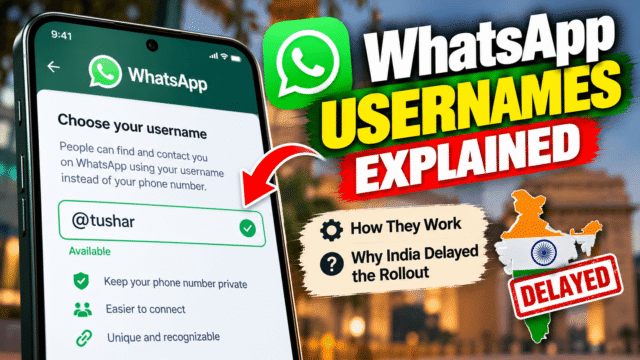
For as long as WhatsApp has existed, chatting with someone has meant handing over your phone number. That’s changing. WhatsApp is rolling out usernames, so you can let new people message you without ever seeing your number.
There’s one big exception: India. The government has told WhatsApp not to launch usernames there until it’s satisfied the feature won’t help scammers, and there has been no confirmed launch for Indian users since.
Here’s how usernames work, how to set one up when it reaches you, the optional “username key” that adds an extra lock, and the new scam risk that comes with it.
What WhatsApp Usernames Are, and What They Aren’t
A username is a handle, like @rahul.k or @priya_designs, that other people can use to start a chat with you instead of your phone number.
A few things don’t change:
- You still need a phone number to have a WhatsApp account. Usernames sit on top of it.
- People who already have your number can still message you, as before.
- Your existing chats carry on as normal.
What changes is how new people can reach you. Once your username is active, someone you’ve just met online, a seller on a marketplace, or a business you contact for the first time doesn’t need your number to talk to you.
There’s no public directory. Nobody can search or browse usernames, and WhatsApp doesn’t suggest them as you type. Someone has to know your exact username to message you.
When You’ll Get It
WhatsApp opened username reservations on June 29, 2026, and said usernames would go live gradually, country by country, later in the year. The first countries started getting working usernames in July. WhatsApp says it will notify you inside the app when usernames are available where you live.
Why India Is Waiting
If you’re in India, you can’t use the feature yet. On July 1, the Ministry of Electronics and IT issued WhatsApp a notice under the IT Act, raising concerns about phishing, impersonation and “digital arrest” scams. It told WhatsApp not to launch usernames in India until consultations conclude to the government’s satisfaction. WhatsApp submitted its response in July. We haven’t seen any public decision since, so Indian users should expect a wait. The Internet Freedom Foundation has argued the notice has no clear basis in law.
How to Set Up Your WhatsApp Username
Update WhatsApp to the latest version first. Then:
- Open WhatsApp and go to Settings.
- Tap Account, then Username.
- Enter the username you want. If it’s taken or protected, you’ll be asked to choose another.
- Confirm it.
If usernames haven’t launched in your country yet, this same screen lets you reserve a username so it’s yours when the feature switches on.
The rules are simple. Usernames can be 3 to 35 characters long and use Latin letters, numbers, periods and underscores. You can change your username later if you want something new.
Choosing a Good Username
Pick something you’d be comfortable sharing with a stranger. Avoid:
- Your full name plus your birth year, which gives away more than you think
- Your city, school or workplace
- Anything that matches your password or email address
For a personal account, a first name with a short twist works well. For a business, use the same handle you use on Instagram. WhatsApp lets Instagram and Facebook username owners claim the same name, and those names can’t be taken by anyone else.
The Username Key: An Extra Lock
The username key is optional, and it’s worth turning on if you plan to share your username widely.
With the key turned on, a new person needs both your exact username and your key to message you for the first time. Knowing your username alone isn’t enough.
To set it up, go to Settings, then Account, then Username, and turn on the username key. WhatsApp generates the key for you. You can’t choose your own. If your key gets passed around more widely than you’d like, tap Get a different key. The old one stops working for new contacts, while people you’ve already chatted with can keep messaging you.
A few things to know:
- The key is only for first contact with strangers. People who have your number, people you’ve chatted with before, members of groups you share, and people you message first don’t need it.
- You can only manage the key on your main phone, not on WhatsApp Web or desktop.
- WhatsApp doesn’t tell you when someone fails to reach you because they didn’t have your key. Always share both together.
Who Can Still See Your Phone Number
This is the part most people misunderstand.
Usernames stop new contacts from getting your number, but people who already have it keep it. Anyone with your number saved can still see it.
For businesses, if you’ve set up a username, your phone number won’t be shared with a business you contact for the first time. The business’s own number is still shown to you, though.
One more detail: when you create a username, people you already have active chats with get a notice about it.
The New Scam Risk: Lookalike Usernames
Usernames make WhatsApp more private, but they also give scammers a new trick. A phone number is hard to fake convincingly. A username that looks like “@sbi.support” or “@amazon_help” is easy to imagine.
WhatsApp says it has reserved names for public figures, celebrities, government bodies and Meta-verified accounts, blocked keywords that scammers commonly use, and will ban accounts it catches impersonating others. Even so, consumer groups have warned that a username shouldn’t be treated as proof of identity, and a lookalike can still slip through. These are exactly the concerns India’s government raised.
So keep the same rules you’d use for any unknown message:
- A username isn’t a verification badge. “@yourbank_official” can be anyone.
- No bank, courier or government agency will ask for an OTP, PIN or payment on WhatsApp.
- If a “friend” contacts you from a new username asking for money, call them on their phone number first.
- Turn on two-step verification in Settings, then Account, so nobody can take over your account even if they trick you into sharing a code.
What About Teens?
WhatsApp applies stricter defaults for under-18 users whose accounts are linked to a Meta account flagged as under 18, including having the username key switched on by default. That means strangers can’t message a teen using their username alone. If your child uses WhatsApp, check these settings together.
Quick Answers
How do I create a WhatsApp username?
Update WhatsApp, then go to Settings, then Account, then Username, and enter the name you want. If usernames haven’t launched in your country, you can reserve one there instead.
Are WhatsApp usernames available in India?
Not yet. India’s IT ministry told WhatsApp in July 2026 not to launch usernames in India until consultations conclude, citing fraud and impersonation risks. There’s been no confirmed launch since.
Do I still need a phone number for WhatsApp?
Yes. Usernames sit on top of your account. You still sign up with a phone number, and people who have it can still message you.
What is a WhatsApp username key?
It’s an optional extra code. With it turned on, a stranger needs both your username and your key to message you for the first time. WhatsApp generates the key, and you can get a new one at any time.
Can people search for my WhatsApp username?
No. There’s no public directory and no suggestions. People need your exact username to contact you.
Can scammers use fake WhatsApp usernames?
They’ll try. WhatsApp blocks many lookalike names and bans impersonators, but a username isn’t proof of identity. Never share an OTP or send money because a username looks official.
Bottom Line
WhatsApp usernames are a real privacy upgrade. You can talk to new people, sellers and businesses without handing over your phone number, and the optional username key keeps strangers out entirely. Set one up as soon as it reaches you, turn on the key if you’ll share it widely, and pick a name that doesn’t give away personal details. If you’re in India, you’ll have to wait for the government and WhatsApp to settle their differences. Wherever you are, treat every username as unverified until you’ve confirmed who’s behind it.