Table of Contents
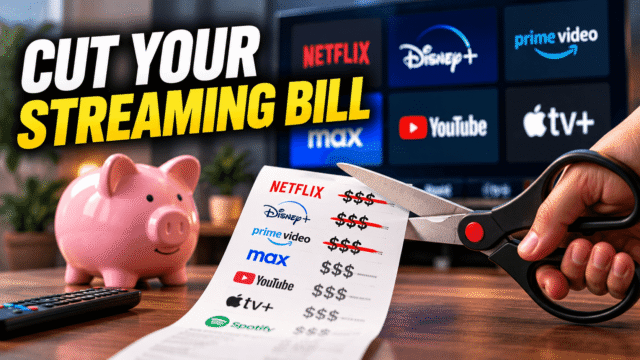
Every major streaming service raised prices in the past year. Some raised them twice. If you’re paying for five or six, you’re likely spending somewhere between $75 and $100 a month, which is more than the cable subscription streaming was supposed to replace.
The good news is that cutting this bill in half doesn’t require giving up shows. It requires giving up the habit of paying for services in months when you aren’t watching them, which is where nearly all the waste lives. Here’s the system, in the order that saves the most money fastest.
One note before we start: I’m not publishing a price table. Prices changed multiple times across every major service in the last year, and sources currently disagree on what several of them charge today. Check your own statement for real numbers, which is step one anyway.
Step 1: Find Out What You’re Actually Paying
Not what you think you pay. What leaves your account.
Search your bank or card statement for the last three months and list every recurring entertainment charge. Then check the app stores too, since subscriptions bought through Apple or Google hide in a separate place: on iPhone, Settings, your name, Subscriptions; on Android, Play Store, your profile, Payments and subscriptions.
Almost everyone finds at least one surprise, and prices have crept up quietly enough that people are frequently paying more than they believe. Then do one calculation per service: divide the monthly cost by hours actually watched. A service you watch twice a month is costing you $8 an hour. That single number ends most debates about what to cancel, without any agonising.
Step 2: The Rotation Method (This Is the Whole Trick)
- The core insight: you are not obliged to subscribe to everything simultaneously, and almost nobody watches more than one or two services in a given month anyway.
- Keep one or two anchors. The services with genuine daily-habit hours, usually one video service plus whatever the household actually leaves on.
- Make everything else a rotation slot. Subscribe to one at a time, binge what you wanted, cancel, move on. Six services rotated through the year cost roughly what two cost running permanently, and you still watch everything.
- The mechanic that makes it painless: cancel the moment you subscribe. Streaming services don’t cut you off when you cancel, they stop the renewal, so you keep full access to the end of the billing period you already paid for. Subscribe, cancel immediately, watch for the month, and it simply ends. No calendar reminder, no forgotten renewal, no month of paying for nothing.
- Queue by show rather than by service. When a season you want finishes airing, that’s that service’s rotation month. Seasonal habits work the same way: sports subscriptions in season, cancelled the week the playoffs end, and a deliberately quiet couple of months in summer when most services release little worth paying for.
Step 3: Ad Tiers, Honestly Assessed
Ad-supported tiers typically run $5 to $10 a month cheaper than ad-free on the same service, which across two or three services is $150 to $250 a year.
The honest trade-off: it’s usually a few minutes of ads per hour, comparable to broadcast television, and often with reduced download options or lower stream quality on some services. My practical rule: use ad tiers on your rotation slots, where you’re bingeing anyway, and pay ad-free only on the one service you genuinely live in. Two ad-supported services frequently beat one ad-free service for the same money and cover far more content.
One thing worth knowing before you decide it’s a free saving: ad tiers exist because your viewing is valuable to advertisers, and the tracking that powers this is often the same machinery running in your television itself, which we’ve written about separately.
Step 4: Annual Plans, Bundles, and the Money You’re Already Spending
Annual billing saves roughly 15 to 20% on most services, and there’s a catch worth stating: an annual plan is the opposite of rotation. Buy annually only for your one or two genuine anchors, never for a service you might rotate out of. Year-end sales are historically when annual plans see their deepest discounts, if you’re timing one.
Bundles genuinely save money when every service inside gets watched, and waste it otherwise. The Disney-family bundles are the obvious example, and carrier and ISP packages increasingly include a streaming service outright.
- Which raises the check most people skip: audit what you already get. Mobile plans, broadband packages, credit cards, and shopping memberships bundle streaming services frequently enough that plenty of households are paying separately for something already included in a bill they’re paying anyway. Ten minutes on your carrier’s account page can quietly delete a subscription.
- And the win-back tactic, which is real: cancel a service you’re lukewarm about, wait a few weeks, and watch your inbox. Services routinely send returning-customer offers at substantial discounts. Worst case, you didn’t want it anyway.
Step 5: What the Password Crackdowns Changed
Account sharing was the quiet subsidy holding many household budgets together, and the crackdowns ended it unevenly rather than universally.
Netflix and Disney’s enforcement converted a lot of shared logins into full-price subscriptions, with paid extra-member slots as the sanctioned alternative. Others have historically been considerably more relaxed, with Prime Video, Paramount+, Apple TV+ and Peacock generally the most lenient as of early 2026, though every one of these policies is subject to change without much notice.
The practical implication: re-audit anything you originally justified as a shared cost. If you’re paying full price for a service you’re now the only viewer of, the maths that made it worthwhile has changed, and it may belong in your rotation rather than your permanent stack.
Step 6: The Free Layer Nobody Uses
This is the most underrated money in the entire article, and it’s genuinely good now.
- Free ad-supported services: Tubi, Pluto TV, and The Roku Channel carry large libraries of films and older television at no cost, with ad loads comparable to broadcast TV. Peacock and others run free tiers too. As gap-fillers between rotation months, they cost nothing and cover more than people expect.
- Your library card: Kanopy and Hoopla give free access to films, documentaries, and in Kanopy’s case a serious arthouse and Criterion selection, funded by your local library. Most people have no idea this exists, and it’s ad-free, which is more than most paid tiers manage.
- YouTube, which is free, enormous, and already where a large share of household viewing goes anyway.
- A realistic target combining all of the above: households running five or six subscriptions can commonly get to a quarter to a half of their previous spend without losing anything they actually watch.
Quick Answers
What’s the fastest way to cut my streaming bill?
Cancel everything you didn’t watch this month, then rotate the rest one at a time instead of running them simultaneously. Subscribing and immediately cancelling keeps access for the month you paid for with no renewal.
Do I lose access immediately when I cancel?
No. Cancelling stops the renewal; you keep watching until the end of the billing period you’ve already paid for, which is what makes rotation practical.
Are ad-supported tiers worth it?
For most people, yes, saving $5 to $10 a month per service for ad loads similar to broadcast TV. Use them on rotation services and pay ad-free only for your daily anchor.
Can I still share a streaming account?
It depends on the service and it keeps changing. Netflix and Disney enforce household rules with paid extra-member options, while several others have been more relaxed. Re-check anything you justified as shared.
What can I watch free and legally?
Tubi, Pluto TV, The Roku Channel, and free tiers from several major services, plus Kanopy and Hoopla free with a library card, which are ad-free.
The Bottom Line
The streaming bill problem isn’t the price of any single service, it’s paying for six of them in a month you watched two. Audit what actually leaves your account, work out your cost per hour watched, keep one or two anchors, and rotate everything else with the cancel-immediately trick so nothing renews behind your back. Put ad tiers on the rotation slots, annual billing only on the anchors, and check whether your phone or internet plan is already paying for something you’re buying twice. Then fill the gaps with the free layer and a library card. Same shows, half the spend, and no month where you pay for a service you never opened.