Table of Contents
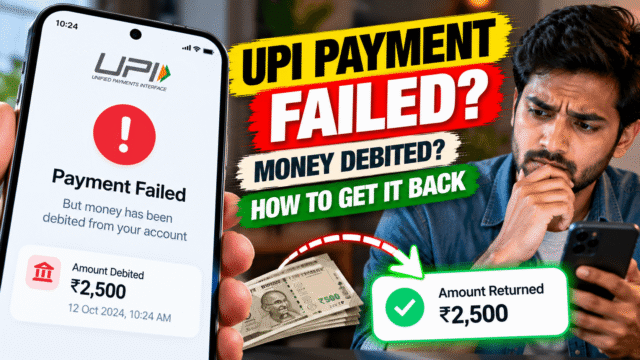
The app says “failed” or “pending.” Your bank SMS says the money is gone. And the person you were paying, or the shop counter, says nothing arrived.
It’s one of the most stressful moments in digital payments, but in most cases your money isn’t lost. RBI rules set deadlines for these failed UPI payments, require banks to reverse the money automatically, and make them pay you compensation if they’re late.
Here’s what usually happened, how long the refund should take, and exactly where to complain if it doesn’t arrive.
First: Don’t Pay Again Yet
Your first instinct may be to pay a second time. Wait a few minutes first.
A “failed” or “pending” UPI payment where money has left your account usually means one of two things:
- The payment actually went through, but the confirmation got stuck somewhere between the banks. The receiver gets it a few minutes later.
- The payment really failed after your bank debited you. The money will be reversed back to you.
If you pay again immediately, you risk paying twice. Check with the receiver, or ask the shop to check their payment records, before you try again. If you’re at a shop and need to leave, pay by another method and sort out the failed payment afterwards.
Also check the payment status inside your UPI app. Pending payments often update to “successful” or “failed” within a few minutes.
How Long an Automatic Refund Should Take
RBI’s rules on failed digital payments set the maximum time banks can take to fix these problems. They count from T, the day of the transaction.
If you sent money to a person and it didn’t reach them:
The money must be reversed to your account by T+1, the day after the payment. If the bank misses that deadline, it must pay you ₹100 for every day of delay.
If you paid a merchant (a shop, website or app) and the payment wasn’t confirmed:
The money must be reversed within T+5, five days after the payment. Again, the bank must pay ₹100 a day for any delay after that.
Two details matter here. First, these are maximum limits, and most reversals happen much faster, often within minutes or hours. Second, under RBI’s rules the compensation is meant to be credited to your account automatically, without you having to claim it. Banks are supposed to pay it even if you never complain.
What to Keep Before You Do Anything
Before you start complaining, collect these details. Every step below will ask for them:
- The UPI transaction ID, also called the UTR or reference number. It’s a 12-digit number shown in your UPI app’s payment history.
- The date and exact time of the payment
- The amount and who you were paying
- A screenshot of the payment screen in your UPI app
- The SMS or statement entry showing the debit
Step 1: Raise It in Your UPI App
If the money hasn’t come back by the deadline, start with the app you used: Google Pay, PhonePe, Paytm, BHIM, your bank’s app or any other.
Open the transaction in your payment history and look for an option such as Raise dispute, Report an issue or Get help. Choose the option for money debited but not received. You’ll get a complaint or reference number. Note it down.
Give the app a few working days to respond. The app works with the banks involved to trace the money.
Step 2: Escalate to Your Bank
If the app doesn’t resolve it, complain to the bank that holds your account, through its customer care, app or branch. Quote the UTR and your app complaint number, and ask for a written complaint reference.
Ask the bank directly when the reversal will happen and whether the compensation for the delay has been credited. Under RBI’s rules, it should have been.
Step 3: Complain to NPCI
NPCI, the organisation that runs UPI, has its own dispute process on its website at npci.org.in. Use it if your app and bank haven’t fixed the problem. You’ll need the same details: UTR, date, amount and your earlier complaint numbers.
Step 4: Go to the RBI Ombudsman
If your bank rejects your complaint, doesn’t reply within 30 days, or you’re unhappy with its answer, you can complain to the RBI Ombudsman for free.
File online at cms.rbi.org.in, or call RBI’s helpline on 14448. You must have complained to your bank first, so keep that complaint reference ready. The Ombudsman can order the bank to refund you and pay the compensation it owes.
Most people never need to get this far. But knowing the route exists makes your bank complaint more effective. Mentioning RBI’s failed-transaction rules and the ₹100-a-day compensation often speeds things up.
Beware Fake “UPI Customer Care” Numbers
This is where a failed payment can turn into a real loss.
Scammers know people search online for help when a UPI payment fails. They post fake “Google Pay customer care” or “PhonePe helpline” numbers on search results, social media and review sites. When you call, they ask you to install a screen-sharing app, share an OTP, or enter your UPI PIN to “receive the refund.”
Remember three rules:
- Only get help from inside your UPI app or your bank’s official website or app. Don’t call numbers you found in a search result or social media comment.
- You never need to enter your UPI PIN to receive money. The PIN is only for sending money. Anyone asking for it to give you a refund is stealing from you.
- No genuine support agent will ask you to install a screen-sharing app.
If you’ve been tricked and money has gone, call the national cybercrime helpline on 1930 straight away, or report it at cybercrime.gov.in.
What If You Sent Money to the Wrong Person?
That’s a different problem. A payment that succeeded but went to the wrong UPI ID or number isn’t a “failed” transaction, so the automatic reversal rules don’t apply.
Contact the person if you can and ask them to return it. Raise a complaint in your UPI app and with your bank straight away. Banks can contact the receiver’s bank, but they generally can’t take money back without the receiver’s agreement, so act quickly and keep records of everything.
Quick Answers
How long does a failed UPI refund take?
If you sent money to a person and it didn’t reach them, the money should be reversed by the next day (T+1). For a failed merchant payment, the limit is five days (T+5). Most refunds arrive much sooner.
What if my UPI refund takes longer than that?
Under RBI rules, the bank must pay you ₹100 for every day of delay beyond the deadline, credited automatically. If it isn’t, complain to your bank and then to the RBI Ombudsman.
Should I pay again if UPI shows failed?
Not immediately. Check with the receiver first, because the original payment may have gone through late. Paying again can mean paying twice.
Where do I complain about a failed UPI payment?
Start in your UPI app using the dispute or help option. Then go to your bank, then NPCI’s dispute process on npci.org.in, and finally the RBI Ombudsman at cms.rbi.org.in.
Do I need my UPI PIN to get a refund?
No. A UPI PIN is only needed to send money. Anyone asking for your PIN to give you a refund is a scammer.
What is the UTR number in UPI?
It’s the unique reference number for your transaction, usually 12 digits, shown in your UPI app’s payment history. Every complaint will ask for it.
Bottom Line
A failed UPI payment with money debited is usually fixed automatically, often within hours and by rule within a day for person-to-person payments or five days for merchants. If the deadline passes, your bank owes you ₹100 a day, and you have a clear route to complain: app, bank, NPCI, then the RBI Ombudsman. Keep your UTR number, stay inside official apps, and never share your UPI PIN with anyone offering to help.
Disclaimer: The information provided here is for educational and informational purposes only