Table of Contents
We once wrote a whole article establishing that your phone almost certainly isn’t secretly listening to you. Here’s the uncomfortable sequel: your TV genuinely is watching you, this one is documented rather than folklore, and unlike most surveillance stories, it comes with an off switch.
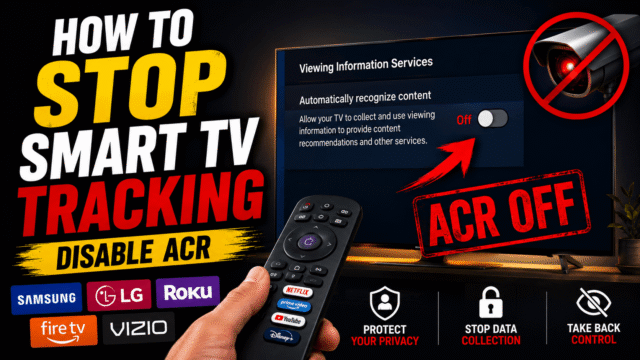
The technology is called ACR, automatic content recognition, and it ships enabled-by-consent-screen in most smart TVs sold over the last decade. Here’s what it actually captures, why attorneys general are suddenly suing over it, and the exact menu path to switch it off on every major brand, which takes about two minutes per TV.
What Your TV Actually Captures (ACR, Explained)
ACR works like Shazam for your screen. The TV samples what’s being displayed, court filings describe on-device captures as frequent as every 500 milliseconds, that’s twice per second, and matches those fingerprints against a giant content database to identify exactly what you’re watching. Independent researchers who audited the network traffic of real TVs found Samsung sets phoning home with ACR data roughly once a minute and LG sets roughly every fifteen seconds.
The part that surprises everyone: ACR doesn’t care where the picture comes from. It fingerprints the screen, which means your cable box, your game console, and anything you plug in over HDMI gets identified too. The TV isn’t tracking an app; it’s tracking the panel. And viewing history is unusually intimate data, since what a household watches can imply politics, religion, health interests, and more, which is precisely what makes it valuable.
What the Data Is Used For (and Why Lawyers Got Involved)
The answer is the least mysterious part: advertising. Connected-TV ad spending runs in the tens of billions annually, and your identified viewing gets packaged, matched with data brokers’ profiles, and used to target ads to you across every screen you own, including proving to advertisers that you saw their TV ad before buying their product on your phone.
Manufacturers embraced this because TVs became a margin-thin business and viewing data became the real product; it’s a large part of why smart TVs got so cheap. What’s new is the legal heat: Texas filed complaints against major manufacturers late last year, Samsung settled in February by agreeing to genuine express consent for Texans, cases against other brands remain active, and Kentucky passed the first state law specifically targeting ACR this year. None of which changes your TV’s settings tonight. That part is yours, and here it is.
Turn It Off: Every Major Brand
Menus shift slightly by model year, but the setting names below are the ones to hunt for. Two minutes each.
- Samsung: Settings, then General & Privacy, then Terms & Privacy, and turn off Viewing Information Services, which is Samsung’s name for ACR. While you’re in that menu, disable Interest-Based Advertising (or Personalize Ads) and, if you don’t use voice commands, Voice Recognition Services.
- LG: Settings, All Settings, General, System, Additional Settings, and turn off Live Plus, LG’s ACR. Ad tracking lives separately under About This TV, User Agreements, where you can decline Personalized Advertising. One honest note in LG’s favor: on recent models these options arrive unticked at setup and only activate if you hit “accept all,” so check what past-you agreed to during that impatient first-day setup.
- Roku (including TCL, Hisense, and other Roku TVs): Settings, Privacy, Smart TV Experience, and uncheck Use Info from TV Inputs, which is the ACR switch covering your HDMI devices. Then Settings, Privacy, Advertising, and enable Limit Ad Tracking. Roku will still see which apps you launch on its platform; this kills the screen-fingerprinting layer.
- Fire TV (sticks and Fire TV televisions): Settings, Preferences, Privacy Settings, then switch off Device Usage Data, Collect App Usage Data, and Interest-Based Ads.
- Google TV and Android TV (Sony, TCL, Hisense, and others): Settings, Privacy, Ads, and turn off Ad Personalization (on some models it hides under Settings, Accounts, Google, Ads). Some of these sets also carry a third-party ACR called Samba Interactive TV, typically under Settings and Device Preferences or in initial-setup options; if you find it, decline it.
- Vizio: Settings or Menu, System, Reset & Admin, and turn off Viewing Data. Vizio is a veteran here, having paid a federal settlement back in 2017 for tracking millions of TVs without proper consent.
Three follow-ups that matter: if a streaming stick hangs off your TV, it tracks independently of the TV, so run its section too; recheck these toggles after major firmware updates, since users have repeatedly reported settings quietly reverting; and if you want the maximal version, the enthusiast play is a dumb-ish TV with an Apple TV box in front of it, since Apple’s box notably doesn’t use ACR, plus network-level blocking for the deeply committed.
What Disabling Costs You (Honestly: Almost Nothing)
Here’s the pleasant surprise of this whole topic. Switching off ACR doesn’t degrade your TV. Picture quality, apps, streaming, gaming, all identical. What you lose is content recommendations informed by your viewing (LG’s Live Plus bundles a few interactive extras, which is worth knowing) and the “relevance” of the ads you’ll see anyway. The trade is a rounding error against what you’re switching off, which is why this is one of the rare privacy guides with no agonizing trade-offs section. Turn it off.
What This Doesn’t Fix
Honesty about the limits, so you know what you did and didn’t achieve. The apps themselves still track you within their own walls: Netflix knows what you watch on Netflix, YouTube knows your YouTube habits, and that’s governed by your accounts with them, not the TV’s settings. The platform (Roku, Fire TV, Google) still sees which apps you open. And your other devices’ ad settings are their own project, one we’ve walked through for Instagram and beyond. What you’ve eliminated is the strangest layer of all: the television itself photographing your screen twice a second and selling the answer. That layer, at least, now has a documented off switch, and you’ve flipped it.
Quick Answers
- What is ACR on a smart TV?
Automatic content recognition: the TV fingerprints whatever is on screen, identifies it against a content database, and shares your viewing data with the manufacturer and advertising partners. - Does my TV track what I watch through HDMI?
Yes, that’s ACR’s defining trick. Cable boxes, consoles, and laptops are all identified because the TV fingerprints the screen itself. The off switches above stop it. - Will turning off ACR affect my TV’s performance?
No. Apps, picture, and streaming work identically. You lose viewing-based recommendations and ad “relevance,” nothing more. - Why does my TV’s tracking keep turning back on?
Firmware updates have repeatedly re-enabled these settings on some brands. Recheck the toggles after major updates; it takes thirty seconds once you know the path. - Is any TV platform private by default?
Apple’s TV box doesn’t use ACR, making it the notable exception among streaming platforms. Every mainstream smart TV brand ships ACR and needs the manual opt-out.
The Bottom Line
Your phone isn’t listening, but your TV has been watching, at a documented two frames per second, from every input, sold onward, and it’s finally facing lawsuits over exactly that. The fix asks almost nothing of you: two minutes per TV in the menus above, the same treatment for any streaming stick, and a recheck after firmware updates. No performance cost, no feature you’ll miss, no ambiguity in the trade. Of all the privacy advice we’ve published, this is the purest version of the deal: real, documented surveillance, one switch, off. Go flip it before tonight’s episode.