Table of Contents
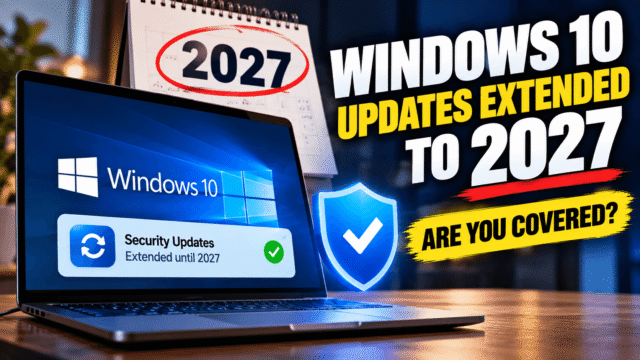
If you’re still on Windows 10, you’ve probably seen October 13, 2026 circled as the day your PC stops getting security updates. That date no longer applies. Microsoft has extended its consumer Extended Security Updates program by a full year, to October 12, 2027.
Whether that helps you depends on one thing: whether your PC is enrolled. Here’s how to check in under a minute, and what to do if it isn’t.
What Changed
Windows 10 officially reached end of support in October 2025. To give people more time, Microsoft offered a one-year Extended Security Updates program, usually shortened to ESU, that kept security fixes coming until October 13, 2026.
In June, Microsoft quietly extended that program for personal PCs. Its wording is direct: coverage is “now available through Oct. 12, 2027.” If you’re already enrolled, you don’t have to do anything. Your coverage continues automatically to the new date.
Microsoft’s stated reason is that moving to a new PC takes time. Rising PC prices are a big part of that. Memory chips have become far more expensive this year, and Gartner expects average PC prices to rise 17% by the end of 2026, so an extra year of safe use is worth more than it sounds.
How to Check Whether Your PC Is Enrolled
Open Settings, go to Update & Security, then Windows Update.
If your PC is enrolled, you’ll see this line near the top of the page: “Your PC is enrolled to get Extended Security Updates.” That’s all you need. Nothing more to do until 2027.
If you instead see an Enroll now link, your PC is eligible but not covered. It’s getting no security fixes right now, so enrol today.
If you see neither, skip to the troubleshooting section below.
How to Enrol Now
Enrolment is open until the program ends on October 12, 2027, so it’s not too late. First, make sure your PC meets the basics:
- It’s running Windows 10 version 22H2. Press Windows key + R, type winver and press Enter to check.
- All available updates are installed.
- You’re signed in with a Microsoft account that has administrator rights. A child account won’t work.
Then go to Settings, Update & Security, Windows Update, and click Enroll now. You’ll get three ways to qualify:
- Free: turn on Windows Backup so your PC settings sync to your Microsoft account.
- Microsoft Rewards: redeem 1,000 points.
- Pay: a one-time fee of $30, plus tax.
Whichever you pick, coverage runs until October 12, 2027, and one ESU licence covers up to 10 PCs signed in to the same Microsoft account.
If You Live in Europe
If you live in the European Economic Area, the rules are slightly different. Microsoft offers ESU free there for signing in with a Microsoft account, but it has required that account to be used to sign in at least every 60 days. Let it lapse and updates stop until you sign in again.
If You Don’t See “Enroll Now”
This is the most common problem, and it usually comes down to one of four things.
- Your Windows 10 version is too old. ESU only works on version 22H2. If winver shows anything older, install the 22H2 update through Windows Update first.
- Updates are pending. Install everything Windows Update offers, restart, and check again. The enrolment option sometimes only appears after the latest updates are in.
- You’re on a local account. ESU enrolment needs a Microsoft account with admin rights. Sign in with one, at least for the enrolment step.
- It’s a work or school PC. Consumer ESU is only for personal devices. PCs joined to a company domain, joined to Microsoft Entra ID, or managed by an IT department’s device management tools can’t use it. Those PCs are covered, or not, through the organisation’s own licensing, so ask your IT team.
If none of that works, give it a day. Some people report the option appearing only after a restart and a fresh check for updates. You’ll find guides online suggesting registry edits to force the button to appear. I’d avoid those unless you’re comfortable fixing things if they go wrong.
What ESU Does and Doesn’t Give You
ESU delivers critical and important security fixes, which are the ones that matter most for staying safe online. It doesn’t bring new features, general bug fixes or technical support. Windows 10 won’t get any better from here. It’ll just stay patched.
That’s enough for most home use: browsing, email, documents and video calls. Keep your browser up to date as well, since that’s where most attacks start.
Should You Still Upgrade to Windows 11?
Eventually, yes. October 12, 2027 is the real end this time, unless Microsoft extends again, and nobody should plan around that.
The good news is that you now have a year to do it on your terms. If your PC can run Windows 11, the upgrade is free through Windows Update, and there’s little reason to wait. If it can’t, usually because of the processor or the TPM 2.0 security chip requirement, you can use this extra year to save up, watch for real deals on a new laptop, and avoid buying in a rush while prices are high.
Quick Answers
Does Windows 10 support end on October 13, 2026?
Not for enrolled personal PCs. Microsoft extended consumer Extended Security Updates to October 12, 2027. If your PC is already enrolled, coverage continues automatically.
How do I know if my PC is enrolled in Windows 10 ESU?
Go to Settings, Update & Security, Windows Update. If you see “Your PC is enrolled to get Extended Security Updates,” you’re covered. If you see “Enroll now,” you aren’t yet.
Is Windows 10 ESU still free?
Yes. You can enrol free by turning on Windows Backup to sync your settings to your Microsoft account. You can also redeem 1,000 Microsoft Rewards points or pay $30 once.
Can I still enrol in Windows 10 ESU now?
Yes. Enrolment is open until the program ends on October 12, 2027, as long as your PC runs Windows 10 version 22H2 and you sign in with a Microsoft account with admin rights.
Why is “Enroll now” missing in Windows Update?
Usually because the PC isn’t on version 22H2, updates are pending, you’re using a local or child account, or the PC is managed by a work or school.
Does ESU work on work or school PCs?
No. Consumer ESU is only for personal devices. Business PCs need ESU through their organisation.
Bottom Line
Open Windows Update today and look for one line: “Your PC is enrolled to get Extended Security Updates.” If it’s there, you’re protected until October 12, 2027 and can plan your next PC without pressure. If it isn’t, enrolling takes two minutes and can be free. Either way, the next deadline is the final one, so use the extra year to move to Windows 11 on your own schedule.