Table of Contents
If you’re still on Windows 10, and statistically there’s a decent chance you are, here’s news that most of the internet hasn’t caught up with yet: the deadline you’ve been dreading just moved.
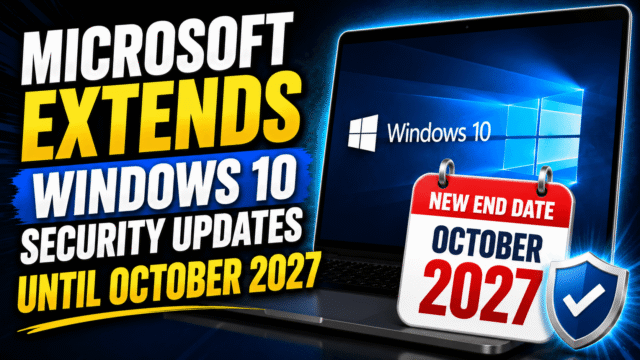
On June 25, 2026, Microsoft quietly extended the consumer Extended Security Updates program by a full year. Security patches for Windows 10 now run through October 12, 2027, instead of ending this October. There was no press event and no formal announcement; the change simply appeared as an edit to Microsoft’s support documentation, later confirmed in a statement about giving customers “more time and flexibility” to move to Windows 11.
Read between the lines and the reason is obvious: an enormous number of people either can’t or won’t upgrade, and Microsoft blinked. But a quiet edit to a support page means most articles you’ll find on this topic still tell you the wrong deadline. So here’s the accurate picture as of July 2026, and the four realistic paths in front of you.
First, What Actually Changed
The original plan gave home users exactly one year of Extended Security Updates after Windows 10’s official end of support in October 2025, with a hard stop this October and no renewal option. That hard stop is gone. The consumer ESU program now ends October 12, 2027, and if you’re already enrolled, your coverage rolls over to the new date automatically. You don’t need to do anything.
One thing hasn’t changed: ESU means security patches only. No new features, no bug fixes for non-security issues, no technical support. Your PC keeps working and keeps getting protected against newly discovered vulnerabilities, and that’s the entire deal.
Option 1: Enroll in ESU (Free for Most People)
If you’re staying on Windows 10 for now, this is the move, and skipping it is genuinely reckless: unenrolled machines have already missed months of security patches, including updates tied to expiring Secure Boot certificates that older PCs need to keep booting securely.
Enrollment happens right inside the OS: Settings, then Update & Security, then Windows Update, where you’ll see an Enroll now link if your PC qualifies. You’ll need Windows 10 version 22H2 and a Microsoft account, and then one of three routes: free if you back up your PC settings to your Microsoft account, 1,000 Microsoft Rewards points, or a one-time $30 purchase. In the European Economic Area, simply signing in with a Microsoft account is enough, a concession Microsoft made after pressure from consumer groups. One enrollment covers up to 10 devices on the same account.
The honest catches: the free route requires staying signed into that Microsoft account, this program is for personal devices only (work-managed machines have a separate, paid enterprise track), and October 2027 is currently the end of the road. Microsoft has extended once and could again, but planning around a second reprieve is a gamble, not a strategy.
Option 2: Upgrade to Windows 11 (Maybe Even on “Unsupported” Hardware)
If your PC meets Windows 11’s requirements, the upgrade remains free, and enrolling in ESU doesn’t block you from taking it later. Run Microsoft’s PC Health Check app to find out where you stand. Most complaints about Windows 11 in 2026 are about taste, not stability; it’s a mature OS at this point.
If your PC fails the check, usually over TPM 2.0 or CPU generation, you’ve probably heard there are workarounds, and they do exist: registry tweaks and third-party install tools can put Windows 11 on officially unsupported hardware. I’ll give you the honest version rather than the YouTube version. It works on many machines, but Microsoft explicitly warns that unsupported installs aren’t guaranteed updates, newer Windows 11 releases have raised the hardware floor in ways that have already stranded some very old CPUs, and you’re signing up to repeat this dance with every major annual update. For a technically confident user with a machine that just barely misses the cutoff, it’s a reasonable experiment. For your family’s main PC, ESU is the saner bridge.
Option 3: Switch to Linux (More Realistic Than It Used to Be)
For a PC that can’t run Windows 11 and will outlive ESU, Linux deserves a genuine look rather than a nervous laugh. A modern beginner-friendly distribution like Linux Mint installs in under an hour, runs fast on hardware Windows 11 rejects, and covers browsing, email, documents, and media without drama. The switch fails for people who depend on specific Windows software, so make your decision there: if your life runs in a browser, Linux will carry you for years on the same machine; if it runs on specific Windows-only applications or anti-cheat-protected games, it likely won’t. Test it from a USB stick without touching your Windows install before committing.
Option 4: A New PC (but Time It Wisely)
Eventually this is where most people land, and there’s a wrinkle in 2026 worth knowing before you shop: memory prices have surged as AI data centers hoover up the world’s chip supply, and that pressure has been pushing PC and laptop prices upward this year. It’s a genuinely awkward moment to buy.
The extension helps you here. With free security coverage through October 2027, nobody needs to panic-buy a machine this autumn at inflated prices. Enroll in ESU, watch for sales cycles, and buy on your schedule rather than a deadline’s. When you do buy, don’t overspend on marketing labels; any current mid-range laptop will comfortably outlast Windows 10’s final deadline, and your Windows 10 license history carries no value worth preserving, since new machines ship with Windows 11 regardless.
Quick Answers
Is Windows 10 support really ending in October 2026?
Not anymore. Microsoft extended consumer security updates to October 12, 2027 in a quiet June 2026 change. Articles citing the 2026 date predate the extension.
Do I have to pay for the extra year?
Most people won’t. Backing up PC settings with a Microsoft account gets you in free, Rewards points work too, and $30 is the fallback. EEA users just sign in.
I already enrolled. Do I need to re-enroll?
No. Existing enrollments continue automatically through October 2027.
Will my Windows 10 PC stop working after ESU ends?
No. It keeps running; it just stops receiving security patches, which makes internet-connected use progressively riskier.
Does ESU include Microsoft Office updates?
Separately from ESU, Microsoft has committed to security updates for Microsoft 365 apps on Windows 10 until October 2028.
The Bottom Line
Microsoft just handed Windows 10 users an unexpected extra year, and it did so quietly enough that most guidance online is now out of date. The play for most people is simple: enroll in ESU now (free for nearly everyone), which secures you through October 2027 and costs you nothing in flexibility, since you can still upgrade to Windows 11 or buy new hardware anytime. Use the breathing room to make the eventual move on your terms, because whether Microsoft blinks a second time in 2027 is not something I’d bet a PC’s security on.