
Table of Contents
You open WhatsApp and instead of your chats you see a message saying your phone number can’t use WhatsApp. Family groups, work chats, years of photos: all locked behind one screen.
You’re not alone. WhatsApp bans millions of accounts linked to Indian numbers every month. In April 2026 alone, it banned more than 54 lakh, and over 9,000 people in India appealed. Some of those bans are mistakes, and they get reversed.
Here’s how to tell what kind of block you’re facing, why it usually happens, and how to give your appeal the best chance.
First: ban, restriction or review?
WhatsApp uses a few different blocks, and each one needs a different response. Read the message on your screen carefully.
“This phone number can’t use WhatsApp”
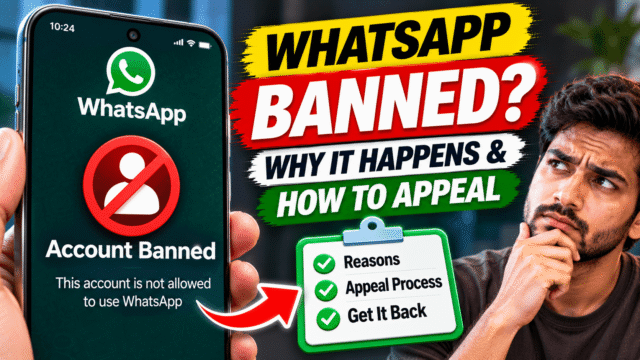
This is a ban. Older versions of the app say “This account is not allowed to use WhatsApp” or “This account can no longer use WhatsApp.” If you see a Request review option, you can appeal. If there’s no review option, WhatsApp says the ban is final.
“Temporarily banned”
This almost always means you’re using an unofficial, modified version of WhatsApp, such as GB WhatsApp or another mod. The fix is to move to the official app. If you keep using the mod, the ban can become permanent.
“Your account is restricted right now”
A restriction isn’t a ban. You can usually still chat with people you already talk to, but you can’t start new chats for a while. It’s usually triggered by messaging lots of people who don’t have your number saved, or adding people to groups without asking. Restrictions end automatically after a set time, and you don’t need to appeal.
“Account in review”
WhatsApp is checking your account activity and device. You can’t use the app during the review, which WhatsApp says usually finishes within about 24 hours. In August 2026, many users lost access for about a day when accounts were put under review, and WhatsApp said it was restoring accounts flagged by mistake. Wait it out. Reinstalling or contacting support won’t speed it up.
Why WhatsApp bans accounts
WhatsApp doesn’t usually tell you exactly why you were banned. It uses automated systems and user reports to spot behaviour that breaks its terms. The most common triggers are:
- Using an unofficial app. GB WhatsApp, YoWhatsApp, FMWhatsApp and similar mods are the single most common reason ordinary people get banned. They’re downloaded as APK files from websites, not the Play Store.
- Bulk or automated messaging. Sending the same message to lots of people, using auto-sender tools or “WhatsApp marketing” software.
- Messaging people who don’t know you. Contacting many numbers that don’t have yours saved, especially if they block or report you.
- Adding people to groups without permission. Especially lots of people at once, or to promotional groups.
- Getting reported by many people. If lots of users report your messages as spam, your account can be banned.
- Spreading misinformation or harmful content. Repeatedly forwarding false or harmful messages, or sharing illegal content.
- Collecting or sharing others’ personal information without consent.
Innocent people get caught too. Your number may have been used by a scammer before it was assigned to you. Someone may have added you to a scam group. A friend who runs a small business may have used your phone to send promotional messages. Or a mod app you installed years ago for “extra features” was quietly still on your phone.
Note: WhatsApp Plus is now official
Be careful with names here. Meta launched an official paid subscription called WhatsApp Plus in May 2026. It costs ₹79 a month in India, and you buy it inside the official WhatsApp app through the Play Store or App Store. It’s cosmetic, with themes and similar extras, and it won’t get you banned.
The old “WhatsApp Plus” APK you’d download from a website is a different thing entirely: an unofficial mod that breaks WhatsApp’s terms. If you’re using that, it can get you banned. If it’s not from your phone’s app store, it’s not the real thing.
How to appeal a WhatsApp ban
If your ban screen shows a review option, here’s what to do.
- Open WhatsApp on the phone with the banned number.
- On the ban screen, tap Request review.
- If you’re asked to explain, write a short, calm, factual message. For example: “I use WhatsApp to talk to my family and colleagues. I don’t use any unofficial app or bulk messaging tool. I think this ban is a mistake and I’d like my account reviewed.”
- Submit the request.
- Open WhatsApp again later to check the status. WhatsApp also notifies you when it has decided.
Some tips:
- Be honest. If you did use a mod app or a bulk sender, say you’ve removed it and now use only the official app. Denying something WhatsApp’s systems detected won’t help.
- Keep it short. A clear, polite message is better than a long one.
- Appeal only once. WhatsApp says each appeal covers one number, and contacting it through other routes won’t speed up the decision.
- Be patient. WhatsApp says most reviews are done within 24 hours, but some take longer.
If you can’t open the app’s review screen, you can also contact WhatsApp through its official help form at whatsapp.com/contact, or from inside the app at Settings, then Help, then Contact us. Give your full phone number with the country code (+91 for India) and explain the problem.
What happens after the review
If the ban is lifted, you’ll see a message saying your account can now use WhatsApp. Verify your phone number again with the 6-digit code WhatsApp sends, then restore your chats from your backup when asked.
If the ban is upheld, WhatsApp says the decision is final for that phone number. You won’t be able to use WhatsApp on it again.
What happens to your chats and backups?
While your account is banned, you can’t open your chats in WhatsApp. WhatsApp says your chat history and backups become available again once your account is restored.
If your ban is upheld, your WhatsApp backup is tied to the banned number, so you can’t restore it to a new number. What you can still recover:
- Photos and videos already saved to your phone’s gallery, or to Google Photos or iCloud Photos
- Documents and media in your phone’s WhatsApp folder, on Android
- Anything you’ve shared elsewhere, such as files sent by email
So if your WhatsApp is working today, check your gallery backups now. Your WhatsApp chat backup can’t save you if the number itself is banned.
If you were using GB WhatsApp or another mod
A temporary ban is a warning. Here’s how to switch without losing more than you have to:
- Wait for the temporary ban timer to run out, if there is one.
- In the mod app, back up your chats if it offers that option.
- Uninstall the mod app.
- Install the official WhatsApp from the Google Play Store, or the App Store on iPhone. Check the developer is WhatsApp LLC.
- Verify your number and restore your chats if the backup is compatible.
Chat backups from mod apps don’t always restore into the official app, so you may lose some history. It’s still better than losing the whole account.
Don’t pay anyone to “unban” your account
Search for this problem and you’ll find services, Instagram pages and YouTube comments offering to unban your WhatsApp for a fee. Some claim to have “contacts at Meta.”
WhatsApp says third-party services can’t remove bans. Only WhatsApp’s own review can. Anyone who asks you for money, your 6-digit verification code or your two-step PIN to “unban” you is trying to scam you, and may take over your account if it’s restored.
How to avoid a ban
- Use only the official WhatsApp or WhatsApp Business app, from the Play Store or App Store.
- Don’t use auto-sender tools, bulk messaging software or “WhatsApp marketing” apps on your personal number.
- Ask before adding people to groups. Better still, share a group invite link.
- Don’t message lots of strangers. If you sell things, use WhatsApp Business and let customers message you first.
- Think before you forward. Be careful with messages marked “Forwarded many times.”
- Turn on two-step verification in Settings, then Account, then Two-step verification, so nobody else can register your number and misuse it.
Quick Answers
How do I get my banned WhatsApp account back?
Open WhatsApp, tap Request review on the ban screen, and explain briefly why you think it’s a mistake. If WhatsApp lifts the ban, verify your number and restore your backup. If there’s no review option, the ban is final.
How long does a WhatsApp ban review take?
WhatsApp says most reviews are completed within 24 hours, though some take longer. Check the app for the result.
Why was my WhatsApp account banned without reason?
WhatsApp’s automated systems may have flagged bulk messaging, use of an unofficial app, messages to many unknown numbers, or reports from other users. Sometimes it’s a mistake, which is why you can request a review.
What’s the difference between a banned and a restricted WhatsApp account?
A restricted account can still chat with existing contacts but can’t start new chats for a while, and the restriction ends automatically. A banned account can’t use WhatsApp at all unless the ban is lifted on review.
Will I lose my WhatsApp chats if I’m banned?
While you’re banned, you can’t access them. If the ban is lifted, your chats and backups come back. If the ban is upheld, the backup can’t be restored to another number, but photos saved to your gallery or cloud stay safe.
Is WhatsApp Plus safe to use?
The official WhatsApp Plus subscription inside the WhatsApp app, launched by Meta in 2026, is safe. A “WhatsApp Plus” APK downloaded from a website is an unofficial mod and can get your account banned.