
Table of Contents
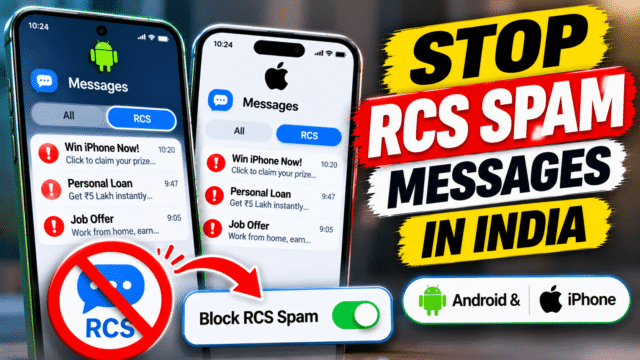
If you use Google Messages in India, you’ve probably seen them: chat-style messages with a brand logo, a blue tick and buttons, offering instant loans, credit cards, insurance, fantasy games or a sale that ends tonight. They look like WhatsApp chats, they buzz like texts, and many people never agreed to receive them.
These are RCS business messages. You can block them one sender at a time, unsubscribe, mute them, or switch off RCS completely. Here’s how to do each on Android and iPhone, and which option makes sense for you.
What RCS messages are, and why you’re getting so many
RCS (Rich Communication Services) is the modern version of SMS. It adds typing indicators, read receipts, high-quality photos and, for businesses, branded chats with images and buttons. On Android it works through Google Messages. On iPhone it’s built into the Messages app on iOS 18 and later, but only where your carrier supports it. In India, that depends on your carrier.
India has had an RCS spam problem for years. In 2022, Google temporarily paused promotional RCS messages in India after complaints about brands flooding users with ads. Spam kept coming back, and in March 2026 Airtel and Google announced that business RCS messages on Airtel would pass through Airtel’s spam filter, with checks on the sender and your do-not-disturb (DND) preferences.
So the situation is improving, but you’re still likely to get unwanted business chats. The fixes below give you control now.
First: business message or scam?
Before you choose a fix, look at who sent it.
- A business with a verified tick, a logo and a name at the top: a registered business. Usually marketing, sometimes from a company you’ve dealt with. Unsubscribe or block.
- A random number, often from another country, with a too-good-to-be-true offer, a job, a crypto tip or a link: very likely a scam. Don’t tap any links. Report it as spam and block it.
If a message asks you to pay, click a link urgently or share an OTP, treat it as fraud, whatever logo it shows.
On Android: block or unsubscribe in Google Messages
Most Android phones in India now use Google Messages, including many Samsung, Motorola, OnePlus, Realme and Pixel phones.
Option 1: Unsubscribe (keeps important messages)
Unsubscribing is the gentlest option. It stops marketing messages but still lets essential ones through, such as order updates or alerts you asked for.
- Open the business’s chat in Google Messages.
- Tap Unsubscribe at the bottom of the chat, or tap the three dots at the top right and choose Unsubscribe.
- Confirm if asked. You may be asked for a reason. If you choose spam, you can also report the sender.
Google Messages sends a STOP message to the business on your behalf. Google’s help page says this works for RCS business messages in India.
Option 2: Block and report (stops everything)
If a business keeps messaging after you unsubscribe, or you never want to hear from it again, block it.
- Open the business’s chat.
- Tap Block and report below the conversation, or tap the three dots and choose Block and report spam.
- Choose Report as spam to block it and send a report to Google, or Block to block it without reporting.
Reporting helps. Google and carriers use these reports to spot senders who are abusing RCS.
To undo a block later, tap your profile picture, open Spam and blocked (in some versions it’s under the three dots), tap the business and choose Unblock.
Option 3: Turn on spam protection
Make sure Google’s automatic spam filter is on, so suspected spam is flagged or moved out of your inbox.
- Open Google Messages and tap your profile picture or initial.
- Tap Messages settings.
- Go to Advanced (or Protection and safety in newer versions), then Spam protection.
- Switch on Enable spam protection.
If you don’t see this option, your phone or app version may not support it. Update Google Messages from the Play Store and check again.
On Android: turn off notifications without blocking
Sometimes you don’t want to block a sender, such as your bank or an airline, but you don’t want every promotional chat buzzing your phone either.
Mute one conversation:
- Open the chat in Google Messages.
- Tap the three dots, then Details.
- Tap Notifications and switch them off, or set them to Silent so messages still arrive without sound.
The menu names vary a little between versions. If you don’t see Details, long-press the conversation in your chat list and look for a mute or notifications option.
Check the app’s notification categories:
On many phones, you can also go to Settings, then Apps, then Messages, then Notifications. Here you’ll see notification categories and individual conversations, and you can switch off or silence the ones you don’t want. Leave the main incoming message notifications on, so you don’t miss OTPs and personal texts.
On Android: switch off RCS completely
If you’d rather not deal with RCS at all, you can turn it off.
- Open Google Messages and tap your profile picture or initial.
- Tap Messages settings.
- Tap RCS chats (or Chat features on some phones).
- Switch off Turn on RCS chats.
Before you do this, know the trade-off. With RCS off, you lose typing indicators, read receipts and high-quality photo sharing with friends who use RCS. Your messages to them go as normal SMS instead. And businesses can still reach you by ordinary SMS, so this doesn’t stop all promotional texts. For most people, blocking the worst senders and keeping RCS on is the better balance.
On iPhone: filter, block and silence RCS business messages
On iPhone, RCS in India depends on your carrier. Jio reportedly reached an RCS deal with Apple in 2025, so Jio users on iOS 18 or later can use RCS. As of mid-2026 reporting, Airtel iPhone users still didn’t have RCS, so if you’re on Airtel, you may not see an RCS setting at all.
Business RCS messages in India have mainly reached Android phones so far, but iPhone users on Jio may see them too. Either way, the filters below are worth setting up, because they also work on ordinary SMS spam. They’re available on iOS 26 and later, and some are specifically adjustable in India.
Turn on Screen Unknown Senders
This moves messages from people and businesses not in your contacts into a separate Unknown Senders list, so they don’t clutter your main inbox.
- Open Settings, then Apps, then Messages.
- Scroll to Unknown Senders and turn on Screen Unknown Senders.
You can also do this inside Messages: tap the Filters button, then Manage Filtering.
Turn off notifications for promotions
This is the most useful setting for RCS spam on iPhone, and Apple says it’s adjustable in India.
- Go to Settings, then Apps, then Messages, then Unknown Senders.
- Tap Allow Notifications.
- Keep Time Sensitive on, so you still get OTPs and verification codes.
- Switch off Promotions. Switch off Transactions too if you don’t want order and delivery updates from unknown senders to notify you.
Messages still arrive in the Unknown Senders list. They just stop buzzing your phone.
Turn on the text message filter
- In Messages, tap Filters, then Manage Filtering.
- Turn on Text Message Filter.
This sorts SMS, MMS and RCS messages into Transactions and Promotions, which makes marketing much easier to ignore.
Block or report a specific sender
Open the conversation, tap the sender’s name at the top, and choose Block Caller. Or, in the conversation list, look for Report Junk under messages from unknown senders.
Turn off RCS on iPhone
If your carrier supports RCS and you’d rather not use it, go to Settings, then Apps, then Messages, then RCS Messaging, and switch it off. As on Android, messages to Android friends then go as SMS, with the same trade-offs. If you don’t see RCS Messaging, your carrier doesn’t support RCS on iPhone yet, and you won’t be getting RCS messages.H2: Register for DND to cut promotional messages at the network level
India’s Do Not Disturb (DND) registry is still worth using. It’s run under TRAI’s rules, and it lets you block categories of promotional calls and SMS, such as banking, real estate or entertainment, or all of them.
To register, call or SMS 1909 from your mobile number, or use the TRAI DND app. Your carrier’s app (MyJio, Airtel Thanks or Vi) may also have DND settings.
DND was designed for calls and SMS, so it doesn’t cover every RCS message. But Airtel has said its RCS spam filter respects users’ DND preferences, so on Airtel, setting DND may also reduce promotional RCS messages.
Report scam messages properly
If a message looks like fraud, rather than just annoying marketing:
- Report it as spam in Google Messages or Messages on iPhone, and block the sender.
- Report suspected fraud messages on Sanchar Saathi’s Chakshu service, at sancharsaathi.gov.in or in the Sanchar Saathi app.
- If you’ve lost money, call the national cybercrime helpline on 1930 straight away, or report it at cybercrime.gov.in.
Quick Answers
How do I stop RCS spam messages in India?
In Google Messages, open the business chat and tap Unsubscribe, or tap Block and report to block it completely. Turn on spam protection in Messages settings. On iPhone (iOS 26 and later), turn on Screen Unknown Senders and switch off Promotions notifications for unknown senders.Can I block RCS business messages without turning off RCS?
Yes. Block or unsubscribe from each business in its chat. You keep RCS features such as typing indicators and high-quality photos with friends.
How do I turn off notifications for RCS messages?
On Android, open the chat, tap the three dots, then Details, then Notifications, and switch them off or set them to Silent. On iPhone, go to Settings, then Apps, then Messages, then Unknown Senders, then Allow Notifications, and switch off Promotions.
Will turning off RCS stop promotional messages?
Not completely. Businesses can still send ordinary SMS, and you lose RCS features with friends. Blocking and unsubscribing usually work better.
Does DND block RCS messages?
DND was built for calls and SMS. Airtel says its RCS spam filter respects DND preferences, so registering on 1909 may help on Airtel, but it isn’t a guaranteed block for all RCS messages.
Why do RCS spam messages have a verified tick?
The tick means the business’s identity was verified, not that you agreed to hear from it. You can still unsubscribe from or block a verified business.
Does my iPhone get RCS in India?
It depends on your carrier. Jio supports RCS on iPhone. As of mid-2026, Airtel iPhone users didn’t have it yet. If you don’t see RCS Messaging in Settings, then Apps, then Messages, your carrier doesn’t support it.