Table of Contents
Everyone’s told you to get a password manager. You nod, agree it’s sensible, and then don’t, because two perfectly reasonable objections stand in the way: “isn’t putting every password in one place exactly what hackers want?” and “I have a hundred accounts, the migration sounds like a lost weekend.”
Both objections deserve real answers instead of a lecture, so that’s this article: the honest safety answer including the famous breach, who can skip the dedicated apps entirely, and a starting method that takes twenty minutes instead of a weekend. Because the underlying problem isn’t optional: with the average person juggling over a hundred accounts, and stolen or weak credentials involved in more than 80% of hacking-related breaches, password reuse is the single riskiest habit in your digital life, and we’ve already seen where it leads when any one site leaks.
The Problem You Already Have
Quick mirror check: if your passwords follow a personal formula, a base word plus the site’s name, a birthday variation, the same trusted password with a different number, then one leaked database gives attackers the pattern for everything else, and automated credential stuffing does the rest at machine speed. The fix isn’t discipline or memory; humans cannot memorize a hundred unique strong passwords, full stop. The fix is outsourcing the remembering. That’s the entire product category.
Are Password Managers Actually Safe? The Honest Answer
Here’s the objection head-on: yes, you’re putting all eggs in one basket. The question is what happens when someone steals the basket, and we have a real-world answer because it happened.
The design that matters is called zero-knowledge encryption: your vault is encrypted on your own device, using a key derived from your master password, before anything touches the provider’s servers. The company stores scrambled data it cannot read. Breach their servers and the thief holds gibberish, unless they can guess your master password.
Then came the stress test. In 2022, attackers breached LastPass and made off with customers’ encrypted vaults. What followed proved both halves of the design at once: vaults protected by strong master passwords stayed unreadable, while some protected by short, weak, or reused master passwords were cracked offline over the following months, with real financial losses. The lesson is not “password managers are unsafe.” It’s sharper: zero-knowledge shifts the entire security burden onto your master password and your provider’s implementation. Which yields the two rules that actually matter: choose a provider with independently audited zero-knowledge architecture and a clean breach record (the reason the security community’s consensus recommendations today are names like Bitwarden and 1Password, and no longer LastPass despite its improvements since), and make the master password a long passphrase, which we’ll get to.
One more safety benefit nobody markets properly: managers only autofill on the exact website a password belongs to. A convincing fake login page, the phishing workhorse we’ve catalogued in our scams coverage, gets nothing, because the manager doesn’t recognize the domain. Your eyes can be fooled by a lookalike URL; the autofill can’t.
Built-In vs Dedicated: Who Needs Which
Time for some honesty the vendor-written comparisons won’t give you, since most “browser managers are dangerous” content is published by companies selling the alternative.
The built-in managers are genuinely good now, for one-ecosystem people. Apple’s Passwords is a proper standalone app with end-to-end encryption, syncing across iPhone, iPad, Mac, and even Windows. Google Password Manager covers Android and Chrome everywhere, with an optional on-device encryption mode that closes its main architectural gap. If your whole life runs inside one of these ecosystems, the built-in option is free, already installed, and vastly better than reuse. Starting there is a legitimate choice, not a compromise, and it’s the same logic we applied to storing passkeys.
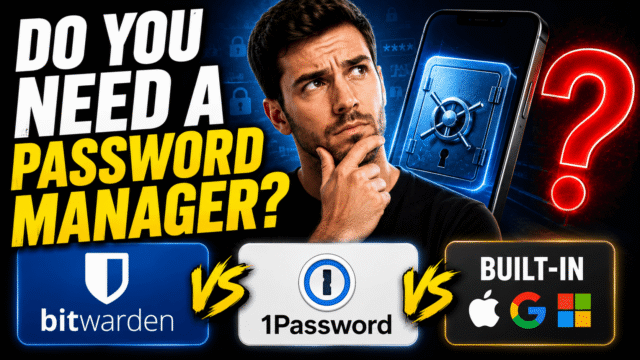
A dedicated manager earns its place when any of these are true: you live across ecosystems (iPhone plus Windows, Android plus Mac), where built-ins get patchy exactly where your life happens; you share passwords with family and want that done properly instead of over text messages; you want extras like breach monitoring, secure notes for documents, or emergency access for a trusted person; or you simply want your credentials independent of the Apple or Google account that already controls everything else. Bitwarden’s free tier covers the essentials with no payment ever, 1Password is the polished paid standard, and the offline-obsessed have KeePass. All of them store passkeys now too, which matters increasingly as passwords retire.
The wrong answer is the only truly bad one: neither, plus reuse.
The 20-Minute Start (Skip the Weekend Migration)
Here’s the method that kills the dread: you don’t migrate everything. You secure the five accounts that matter and let the rest happen by itself.
Minutes 1 to 5: install your chosen manager and its browser extension, create the account, and set the master password using the next section’s rules.
Minutes 5 to 20: secure the big five, in this order: your primary email (the master key to everything, as every account-recovery story proves), your bank, your main social account, your Amazon or main shopping login, and your work login. For each: log in, let the manager save the credential, then use its generator to replace the password with a random one you’ll never see again. Turn on two-factor for the manager itself while you’re at it.
Then stop. From today, live normally: every time you log into anything, the manager offers to save it; accept. When you visit an account with an old reused password, spend thirty seconds upgrading it. Within a couple of months your vault has built itself with zero dedicated migration time, and if you’re switching from browser-saved passwords, every manager imports those in one step anyway. The perfect vault by Sunday was never the goal; the reused-password bleeding stopping today was.
The Master Password and the Recovery Trap
Two things about the one password you still have to remember.
Make it a passphrase, not a p@ssw0rd. Four or five random words with a twist, sixteen-plus characters, used nowhere else ever: long beats clever, and length is precisely what made the difference for LastPass victims versus survivors. It must be memorable to you and nothing like your old formula.
Understand the recovery trap before it bites. Zero-knowledge cuts both ways: because the provider can’t read your vault, most can’t reset a forgotten master password either. So handle recovery like it’s precious, because it is: write the master password down physically and store it somewhere genuinely safe at home (yes, paper; the threat model for your vault is remote attackers, not your sock drawer), save your provider’s recovery kit or codes the moment they’re offered, and if your manager supports emergency access for a trusted person, set it up now, a decision that pays off in scenarios far beyond forgetfulness.
Living With It Day to Day
The honest experience report: the first week feels slightly slower, because saving and generating adds a beat to logins. By week three it’s faster than typing ever was, autofill across phone and laptop feels like a superpower, and the genuine quality-of-life surprise is never doing a password reset dance again. Check the manager’s security report occasionally, which flags your remaining weak and reused stragglers and turns cleanup into a five-minute monthly habit rather than a project. And when breach notifications arrive, as they will, they downgrade from emergencies to a single password swap, which is the entire point.
Quick Answers
Are password managers safe if the company gets hacked?
With proper zero-knowledge encryption, a stolen vault is unreadable without your master password, which is exactly what the LastPass breach demonstrated in both directions. Pick an audited provider and a long master passphrase.
Is a password manager safer than using the same strong password everywhere?
Vastly. One reused password means one breach opens everything, and leaked credentials get tested against major sites automatically. Unique passwords per site is the entire game.
Should I just use Google’s or Apple’s built-in manager?
If you live entirely in one ecosystem, genuinely yes. Go dedicated when you cross ecosystems, share with family, or want your credentials independent of your platform account.
What happens if I forget my master password?
Most zero-knowledge providers can’t reset it, by design. Write it down and store it physically at home, and save the recovery kit when offered.
Do I have to move all my passwords at once?
No, and you shouldn’t try. Secure your top five accounts in twenty minutes and let the rest accumulate naturally as you log in.
The Bottom Line
The case for a password manager isn’t that vaults are unbreakable; it’s that the alternative, your memory plus a formula, is already broken, and every leaked database proves it again. Zero-knowledge design means even the worst-case breach comes down to the strength of one passphrase you control, so choose an audited provider, or start with the built-in one your ecosystem already gave you, make the master password long and boring, and store its paper backup like the key it is. Then spend twenty minutes on your top five accounts tonight and let the rest of the vault build itself. You don’t need a security project. You need the bleeding stopped, and that part ships today.