
Table of Contents
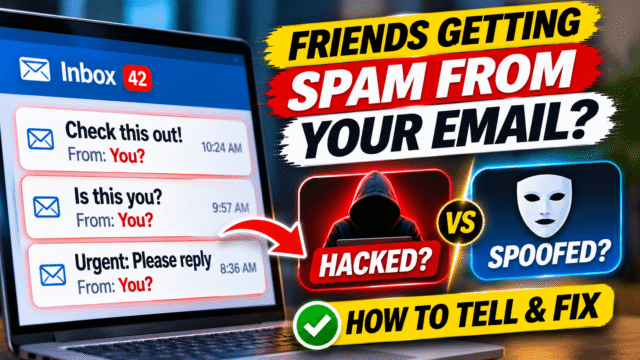
A friend messages you: “Did you just send me a weird link?” Your aunt asks why you emailed her about a gift card. A colleague forwards a message “from you” asking for an urgent payment. You never sent any of them.
Your first thought is probably that your email has been hacked. Sometimes it has. But just as often, nobody has touched your account at all. Someone has simply faked your name or address, which is much easier and needs no password.
The fix is completely different in each case, so the first job is to work out which one you’re dealing with. Here’s how.
The three things that could be happening
- Your account has been hacked. Someone has your password and is sending email from your real account.
- Your address is being spoofed. Someone is sending emails that only look like they come from you. They never got into your account.
- Someone else’s account was hacked. A friend or contact who has your address was hacked, and the scammer is using their contact list, including your name, to send messages.
Step 1: Ask for a copy of the email
Before you change anything, ask the friend who got the message to send you a screenshot, or better, forward it to you. You need to see two things:
- The full sender address, not just the name. On a phone, tapping the sender’s name usually shows the full address.
- When it was sent.
Check the sender address
This one check solves a lot of cases.
- If the name says your name but the address is different, such as [email protected] or a random address, your account hasn’t been touched. Scammers can put any name they like on an email. This is called display-name spoofing, and it’s very common.
- If the address is exactly yours, keep going. It could be spoofing or a real hack.
Step 2: Look in your own Sent folder
Open your email and check your Sent folder, and Drafts too, for messages around the time your friend received them.
- If the spam is in your Sent folder, your account is very likely being used by someone else. Treat it as hacked.
- If it isn’t there, that’s a good sign, but not proof. Some attackers delete what they send. Check the next steps too.
On Outlook.com, also check Drafts for scheduled messages. Attackers sometimes queue emails to send later.
Step 3: Check where your account is signed in
Your email provider keeps a record of recent sign-ins. Look for devices, locations or times you don’t recognise.
- Gmail: go to myaccount.google.com, then Security. Check Recent security activity and Your devices. In Gmail on a computer, you can also scroll to the bottom of your inbox and click Details next to Last account activity.
- Outlook.com and Hotmail: sign in at account.microsoft.com, go to Security, and open Sign-in activity. Mark anything unfamiliar as “This wasn’t me.”
- Yahoo Mail: go to your Yahoo Account Security page and check Recent activity.
A sign-in from a country you’ve never visited, or a device you don’t own, means your account has been accessed.
Step 4: Check the email’s hidden details
If you have a copy of the message, its headers show whether it really came from your provider’s servers.
- In Gmail on a computer, open the message, click the three dots, and choose Show original. Look at the lines for SPF, DKIM and DMARC.
- If they say FAIL, or the email came from a server that has nothing to do with your provider, it was almost certainly spoofed.
- If they say PASS for your provider, such as gmail.com or outlook.com, the message really did go through your account.
You don’t need to understand the rest of the header. Those three results tell you most of what you need.
If your account was hacked: what to do now
Act quickly. A hacked email account is the key to almost everything else you own online, because password reset links for your bank, social media and shopping accounts all come to it.
1. Change your password and sign out everywhere
- Change your email password to a new one you’ve never used anywhere else.
- Sign out every other device. In Gmail, go to myaccount.google.com, then Security, then Your devices, and sign out of anything you don’t recognise. On Outlook.com, go to your Microsoft account’s Security page and choose Sign out everywhere. Microsoft says this can take up to 24 hours to take effect.
If you can’t sign in because the hacker changed your password, use your provider’s account recovery page straight away.
2. Check for hidden rules and forwarding
This is the step most people miss. Hackers often set up rules that quietly forward copies of your email to themselves, or delete replies from friends asking “did you send this?” They keep working even after you change your password.
In Gmail (on a computer):
- Click the gear icon, then See all settings.
- Open Filters and Blocked Addresses, and delete any filter you didn’t create, especially ones that forward, delete or skip the inbox.
- Open Forwarding and POP/IMAP, and remove any forwarding address that isn’t yours.
- Open Accounts and Import. Under Grant access to your account, remove anyone you don’t recognise, and under Send mail as, remove any address you didn’t add.
- Check that your Signature and Vacation responder haven’t been changed.
In Outlook.com:
- Click the gear icon to open Settings, then Mail.
- Open Rules, and delete any rule you didn’t create.
- Open Forwarding and IMAP, and remove any forwarding address that isn’t yours.
- Check Automatic replies too.
3. Check your recovery details
Hackers sometimes change your recovery phone number or backup email so they can get back in later. Make sure every recovery option on your account belongs to you, and remove anything you don’t recognise. On a Microsoft account, also remove any app passwords you didn’t create.
4. Remove connected apps
Look for third-party apps with access to your email, and remove any you don’t recognise or no longer use. In your Google Account, it’s under Security, then Your connections to third-party apps and services. For a Microsoft account, it’s the app permissions page in your account settings.
5. Turn on two-step verification
This is what stops it happening again. Even if someone gets your password, they can’t sign in without the second step. Use an authenticator app or a passkey if you can.
6. Check other accounts that use the same password
If you used the same password anywhere else, change it there too, starting with banking and shopping accounts. Then check whether any of those accounts sent password reset emails you didn’t ask for.
7. Scan your devices
If you don’t know how your password was stolen, your computer may have malware. Run a full scan with your security software, such as Microsoft Defender on Windows.
If your address was spoofed: what to do now
The frustrating truth is that you can’t stop someone from putting your address on an email. Google says plainly that Gmail can’t stop spammers from spoofing your address. But spoofed emails don’t mean your account is at risk.
- Don’t panic and don’t keep changing your password. It won’t help, because nobody is using it.
- Report the spoofed messages as spam if you receive bounces or copies. That helps your provider’s filters catch them.
- Warn your contacts (see below).
- If you own your own domain for email, such as [email protected], ask whoever set up your email to turn on SPF, DKIM and DMARC. These records tell other mail servers to reject emails that fake your domain.
You may also get a wave of “Mail delivery failed” messages for emails you never sent. These are called bounces. Spammers used your address as the sender, and the emails bounced back to you. They’re annoying but harmless. Report them as spam and they’ll die down.
If someone else’s account was hacked
If the message came from your name but a different address, and especially if several of your friends got the same message, it may be one of your contacts who was hacked. Their address book, with your name in it, is now in a scammer’s hands.
There’s not much you can do about their account, but you can:
- Let your friends know the message isn’t from you.
- If you can work out whose account it was, tell them so they can secure it.
What to tell your contacts
Whichever case it is, send a short, calm message to the people who received it, by a different route if you can, such as WhatsApp or a phone call:
“Hi, you may have received an email that looks like it came from me, asking for [money / a gift card / you to open a link]. I didn’t send it. Please don’t click anything in it or reply. Just delete it.”
If anyone already clicked a link or entered a password, ask them to change that password straight away. If anyone sent money, they should contact their bank immediately and report it to the police or their national cybercrime helpline.
Quick Answers
How do I know if my email has been hacked or spoofed?
Check your Sent folder and your account’s recent sign-in activity. If the spam is in your Sent folder or you see sign-ins you don’t recognise, you’ve been hacked. If neither shows anything and the email’s headers fail SPF, DKIM or DMARC checks, it was probably spoofed.
Why are my contacts getting emails from me that I didn’t send?
Either someone has access to your account, someone is faking your name or address, or one of your contacts was hacked and their address book is being used. The steps above help you work out which.
Can someone send email from my address without my password?
Yes. Email senders can be faked, which is called spoofing. Your account isn’t affected, but recipients may think the message came from you.
How do I check for hidden forwarding in Gmail?
On a computer, click the gear icon, then See all settings. Check Filters and Blocked Addresses and Forwarding and POP/IMAP, and remove anything you didn’t set up.
What should I do first if my email is hacked?
Change your password, sign out of all other devices, remove any forwarding rules or filters the hacker added, check your recovery details and turn on two-step verification.
Why am I getting “Mail delivery failed” emails for messages I didn’t send?
Spammers have used your address as the sender, and the emails bounced back to you. It doesn’t mean your account was hacked. Report them as spam.