Table of Contents
Every summer, the same story plays out at arrival gates worldwide: someone lands, switches off airplane mode, and their home carrier starts billing international roaming before the luggage belt even moves. A ten-day trip can quietly rack up $100 or more in roaming charges for data a travel eSIM would have sold you for $10 to $30 total.
Travel eSIMs genuinely are the fix for most people. But the internet’s coverage of them is dominated by affiliate listicles ranking whichever provider pays best, while skipping the questions travelers actually panic about: will WhatsApp still work, where do my bank OTPs go, and why isn’t this thing connecting. So here’s the honest guide: how it really works, the exact setup to do before you fly, and the cases where an eSIM is genuinely not the best answer.
How a Travel eSIM Actually Works
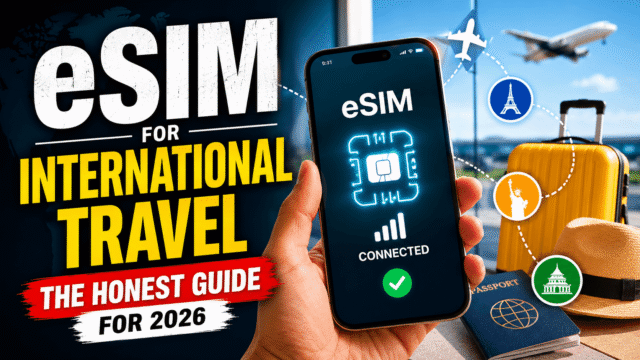
An eSIM is a SIM card in software: a profile you download instead of a chip you insert. A travel eSIM is a prepaid, almost always data-only plan for your destination, installed alongside your regular SIM, which stays right where it is. Your phone runs both lines at once: the travel eSIM carries your cheap local data, and your home SIM stays alive for its number.
Two honest consequences of “data-only” that the marketing glosses over. First, a travel eSIM usually gives you no phone number, so ordinary calls and SMS to local numbers aren’t included; your communication happens over WhatsApp, FaceTime, and other internet apps, which is how most people communicate anyway. Second, plans have fixed validity: when your 15 days end, the eSIM stops, even with data left over.
Compatibility check before buying anything: iPhones support eSIM from the XR and XS (2018) onward, Samsung from the Galaxy S20 plus the entire Fold and Flip line, and Pixels from the Pixel 3. On iPhone, look for “Add eSIM” under Settings and Cellular; on Android, check the SIM manager in network settings. Two gotchas: your phone must be carrier-unlocked, and iPhones bought in mainland China don’t support eSIM at all.
Will WhatsApp and My Number Still Work? (Yes, Here’s Why)
This is the question I get most, so let’s kill the anxiety properly: WhatsApp is tied to your phone number’s registration, not to the SIM in your phone. Install a travel eSIM and WhatsApp carries on exactly as before, same number, same chats, same groups, running over the eSIM’s data. Your contacts notice nothing. The same logic covers iMessage, which rides on your Apple ID and home number over any internet connection.
The part that actually needs setup is your OTPs and verification texts, and this matters double if your banking lives on SMS codes, as it does for most Indian users abroad. Those texts arrive on your home SIM, so the correct configuration is: home SIM line ON (so SMS can arrive; incoming texts while roaming are free or cheap on most carriers, but confirm yours) with its Data Roaming OFF (so it can’t bill you for data), and the travel eSIM set as your data line. Do not disable or remove the home line entirely, which is the classic mistake that silently cuts you off from every verification code you own.
One protective step before any trip: enable two-step verification inside WhatsApp itself. If anything ever forces a re-verification while you’re away, that PIN plus your reachable home number keeps your account yours.
Setting It Up Right (Do This Before You Fly)
- At home, on Wi-Fi: buy the eSIM and complete the installation fully. Installing requires internet, which is exactly what you won’t have at a foreign airport. And note the counterintuitive part: installing now doesn’t waste your validity, because most travel eSIMs activate only when they first connect to a network at your destination.
- Label your lines. In SIM settings, name them “Home” and something like “Japan Data” so every later menu makes sense.
- Assign the roles. Travel eSIM: selected for mobile data, with Data Roaming ON. Yes, on. Travel eSIMs technically operate as roaming profiles on local networks, and leaving this toggle off is the single most common reason for “my eSIM doesn’t work” complaints. It only affects that line, not your home SIM. Home SIM: line on, Data Roaming off. On iPhone, also switch off “Allow Cellular Data Switching,” which otherwise lets the phone quietly fall back to your expensive home line.
- On landing: airplane mode off, and the local partner carrier’s name typically appears within a minute or two. If it doesn’t, the fix hierarchy is: restart the phone, confirm the eSIM is chosen for data with roaming on, disable any VPN during registration, and check whether your provider requires a manual APN setting, which their app or email will specify.
eSIM vs Roaming vs Local SIM: The Honest Math
- Travel eSIM wins for most trips. Typical prices run a few dollars per gigabyte, against roaming day-passes of $10 to 15, a 70 to 90% saving on anything longer than a couple of days, with the whole thing set up from your sofa.
- Roaming wins in three honest cases. Trips of a day or two, where one or two day-passes beat the faff. Plans that already include international data, like several US carriers and some premium plans elsewhere. And situations where you must make and receive regular calls on your actual number, since your home SIM roaming handles that natively.
- A local physical SIM wins on price for long stays, often the absolute cheapest per gigabyte, and it gives you a local number, which delivery apps and local services sometimes demand. The costs are non-monetary: airport queues, ID and registration paperwork in many countries, and the small but real risk of losing your home nano-SIM while it lives in your wallet for three weeks.
My honest rule: under 3 days, consider roaming; 3 days to 3 weeks, travel eSIM; months in one country, get a local SIM (or a local carrier’s eSIM) once you’re settled.
The Mistakes That Strand Travelers
Buying without checking the lock. A carrier-locked phone rejects every eSIM. Confirm unlocked status before spending a rupee or dollar.
Scanning the QR code but not finishing. Half-installed profiles are a top support complaint. The install is done when the new line appears in your SIM list, not when the code scans.
Deleting the eSIM. Removing the profile mid-trip is usually permanent, since many providers’ QR codes are single-use. Deleting is not the same as toggling the line off. Never delete until you’re home and done.
Leaving home data roaming on. The eSIM saves you nothing if your phone keeps sipping data through the expensive line. Off means off, checked twice.
Ignoring validity windows. The countdown typically starts at first connection, and unused data dies with the plan. Buy the duration that matches the trip, and know where the top-up button lives in your provider’s app before you need it at midnight.
Quick Answers
- Does a travel eSIM change my WhatsApp number?
No. WhatsApp stays on your registered home number regardless of which SIM provides the data. Chats, groups, and contacts are untouched. - Will I still get bank OTPs abroad with an eSIM?
Yes, if you leave your home SIM’s line active with only its data roaming disabled. The texts arrive on your home number as normal. - Do travel eSIMs give you a phone number?
Usually not; they’re data-only. Calls happen over WhatsApp or FaceTime. If you need a real local number, a local SIM is the tool. - Can I install an eSIM after I’ve already landed?
Only with Wi-Fi, since installation needs internet. This is why installing at home before departure is the golden rule. - Which phones support eSIM?
iPhone XR/XS and newer (except mainland-China models), Samsung Galaxy S20 and newer plus the Fold and Flip lines, Pixel 3 and newer, and most recent flagships, provided the phone is carrier-unlocked.
The Bottom Line
Travel eSIMs deserve their reputation: for the typical one-to-three-week trip, they’re 70 to 90% cheaper than roaming, set up entirely before you leave home, and completely compatible with keeping your number, your WhatsApp, and your bank OTPs alive. The whole game is a ten-minute setup done right: install on home Wi-Fi, home SIM on with data roaming off, eSIM on data with roaming on, and nothing deleted until you’re back. Do that, and the arrival-gate bill shock becomes something that happens to other people.