


Table of Contents
Reading text could be boring sometimes. Some people, unfortunately cannot read the documents. Or maybe you would want to create more fun by recording a text with a clean, nice voice of American or British accent into an audio file. It was possible to do it on a computer via different softwares. Now it is also possible on an iPhone with Speak it!
What is Speak it for iPhone?
Speak it! is claimed to be the most advanced text to speech engine available for iPhone, iPod and iPad. It does have a multi-tasking feature of iOS 4 and above. It can read emails, news articles or documents you would want it to read out loud while working on other apps on iPhone.
Speak it! utilizes the same voice synthesis engine that has made our iSpeak translator apps such a great hit. The text to speech engine is so powerful, it reproduces speech which is clear and natural sounding.
Text To Speech – Speak it Features
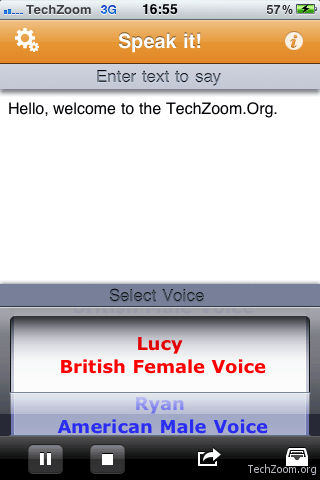
It has four different voices and two different accents, built-in with American Male and Female, British Male and Female.
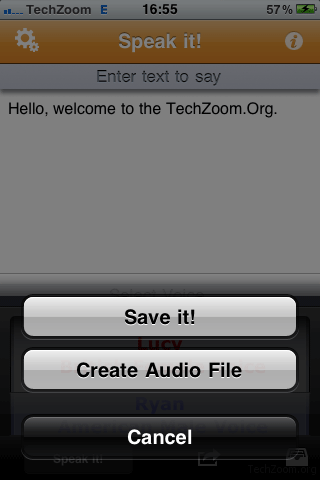
An interesting feature is, it also highlights the words in real-time that are being spoken into the app. This makes more sense if you want to learn American or British accent being used for that particular word. You need to click in the text area and choose ‘Speak at Cursor’. Speak it can also save audio file created using text documents
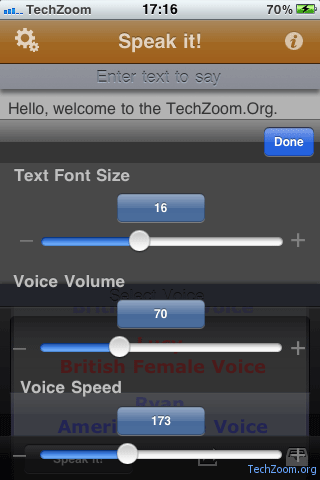
Other basic features include Pause, resume, volume, speed / tempo, etc. There are plenty more added features by every version. The entire list can be found on iTunes. Link is given below.
Price and Ratings
The price for this app is $1.99. This app is totally worth what it meant to be and 100% worth the money.
Screenshots
System Requirements
Speak it! Text to Speech is compatible with iPhone, iPod Touch and iPad with iOS version 3.0 or higher.
Review
Speak it! is one of top iPhone apps for Productivity & Accessibility by bringing this unique text to speech experience on iOS.
Speak it! is a MUST HAVE app for all who don’t like reading long text documents or they can’t read documents. It can also teach you more about American and British Accent. After playing around a little with this app, you can also Record a placeholder narration / voice-over for a documentary / corporate film. No need to rush for Voice over artists and recording studio to get you going with your film.
I would rate it 4 out of 5 stars






Hi tushar,
Its really an amazing app for iphones. I will definitely download it. But i am currently using a text to speech app is the fat finger. I was downloaded it from http://www.mydatabydesign.com but i think the app speak it is much better then it.