Table of Contents
For most of Gmail’s history, the answer to “can I change my Gmail address?” was a flat no. If you were stuck with an address you picked at 15, the only fix was to create a new account and slowly move your life across.
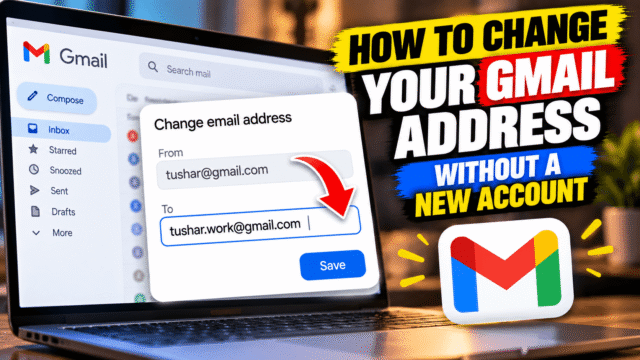
That’s changing. Google is gradually rolling out an option to swap your @gmail.com address for a new one while keeping everything in your account: your emails, Drive files, photos, contacts and app purchases. Indian users were among the very first to get it. The option began appearing quietly in India in late 2025, when people spotted it on Google’s Hindi help page before any announcement. It reached the US on March 31, 2026, when Sundar Pichai announced it himself, and it has been spreading to more accounts since.
Here’s how to check whether you have it, how to make the switch, and the limits worth knowing before you click anything.
Can You Change Your Gmail Address Now?
Yes, if the option has reached your account. You can change a Google Account email that ends in @gmail.com to a different address that also ends in @gmail.com.
The rollout is gradual, so not everyone sees it yet. Google’s own help page says that if you don’t have the option, it might not be possible to change your address right now. There’s nothing to sign up for. Check again every few weeks.
It only works for personal Gmail accounts. If your email is managed by an employer, a school or a Google Workspace organisation, this doesn’t apply to you.
How to Check If It’s Available
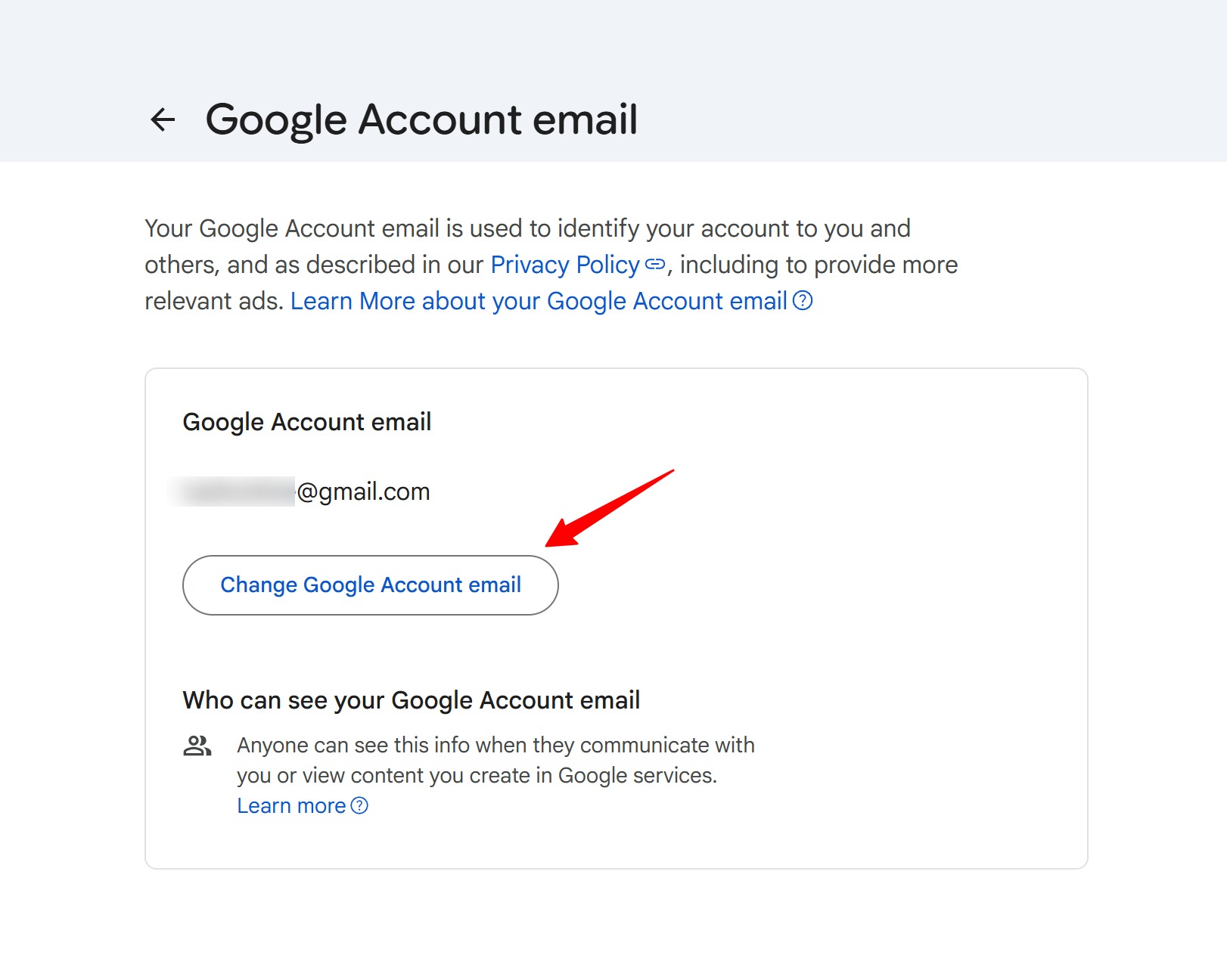
On a computer, go to myaccount.google.com and sign in. Click Personal info, then Email, then Google Account email.
If you see Change Google Account email, the feature is available to you. If you don’t, it hasn’t reached your account yet.
On an Android phone, open myaccount.google.com/google-account-email in your browser, or go through Settings, then Google, then Manage your Google Account, then the Personal info tab, then Email, then Google Account email.
How to Change Your Gmail Address, Step by Step
- Go to myaccount.google.com, then Personal info, then Email, then Google Account email.
- Click Change Google Account email.
- Type the new username you want. It has to be available, just like signing up for a new Gmail account.
- Confirm the change and follow the on-screen steps.
That’s it. Your account is the same account. Only the address on the front of it has changed.
What Happens to Your Old Address
This is the part that makes the feature useful rather than risky.
Your old address doesn’t disappear. It becomes an alternate address on the same account. Email sent to either address lands in the same inbox, so nobody who has your old address loses touch with you. You can also sign in to Gmail, YouTube, Maps, Drive and Google Play with either address.
Nobody else can ever take your old address. It stays attached to your account.
And if you change your mind, you can switch back. Go to the same Google Account email page and choose Make this your Google Account email next to your old address. Switching back to an old address doesn’t use up any of your changes.
The Limits You Need to Know
Google has put firm limits on this, and they’re the reason to think before you pick a new name:
- You can create a new @gmail.com address only once every 12 months.
- You can create up to three new addresses in total, so four addresses over the life of the account.
- You can’t delete a new address once you’ve created it.
- Things that already happened keep the old address. Calendar events you created and documents you shared before the change won’t update to show the new one.
So treat the new name like a tattoo, not a haircut. Choose something you’ll still be happy with in ten years: your name, or a simple variation of it.
What to Check Before You Switch
Google’s own guidance here is blunter than most coverage suggests. Some apps outside Google may not recognise your new address, or may not realise you’re the same person. Behind the scenes, Google keeps passing your old username to linked third-party apps. And if problems carry on for more than a few hours, Google says you may need to change back to your old address.
That’s the real reason to prepare before you switch.
Make a list of your Sign in with Google accounts: these are the apps and websites where you tap “Sign in with Google” instead of typing a password, often banking, shopping, food delivery, streaming, travel and work tools. You can see the full list in your Google Account under Security, in the section for your connections to third-party apps and services. Note down the ones you’d be in trouble without.
Add a password where you can: for the most important of those apps, set up a normal email-and-password login in the app’s own settings before you change your address. If Sign in with Google stops recognising you, you can still get in.
After switching, sign in to each one: if an app doesn’t recognise you, Google suggests updating the email in that app’s settings and trying Sign in with Google again. If that fails, remove the app’s link to your Google account and sign in again. If you’re locked out completely, use the app’s own password recovery. As a last resort, switch back to your old address, fix the app’s login, then switch to the new address again.
Chromebooks: Google says to remove your account from the Chromebook and add it again with the new address. Otherwise you can end up with an empty home folder.
Chrome Remote Desktop: turn off your existing connections, then turn them back on and reconnect using the new address.
App settings: some app settings may reset, similar to signing in on a new device. Expect to redo a few preferences.
What to Update After You Switch
Because your old address keeps receiving mail, none of this is urgent. You can update things gradually over the following weeks.
- Email apps: if you read Gmail in Outlook or another mail app, the “From” address may not update by itself. In classic Outlook on Windows, update the account under File, then Account Settings. In the new Outlook, you may need to remove the Gmail account and add it again with the new address.
- Your password manager: saved logins that use your old address as the username will still work on Google, but update them for clarity, and update any other sites where you change the email too.
- Important accounts: banks, government portals, tax filing, travel bookings and insurance all send important mail. Old-address mail still reaches you, but updating these first means you won’t depend on the alias for anything critical.
- People you email often: a short note saying “new address, old one still works” saves confusion.
Should You Change It at All?
If your address is embarrassing, outdated, hard to spell or full of random numbers, this is a big quality-of-life upgrade, and it’s far easier than starting a new account. Interview emails, client work and anything you give out in person all benefit from an address that’s just your name.
If your current address is fine, there’s no reason to change it just because you can. The limits mean every change counts, and there’s always a little cleanup afterwards.
Quick Answers
Can I change my Gmail address without creating a new account?
Yes, if the feature has reached your account. Go to myaccount.google.com, then Personal info, then Email, then Google Account email, and look for Change Google Account email.
What happens to my old Gmail address?
It becomes an alternate address on the same account. You keep receiving email sent to it, you can still sign in with it, and nobody else can ever use it.
How many times can I change my Gmail address?
Up to three times, for four addresses in total. You can only create a new address once every 12 months, and new addresses can’t be deleted.
Will I lose my emails, photos or Drive files?
No. It’s the same Google Account with a new address, so all your emails, files, photos, contacts and purchases stay where they are.
Why don’t I see the option to change my Gmail address?
Google is rolling it out gradually. It started in India in late 2025 and reached the US on March 31, 2026, but it may not have reached your account yet. It also isn’t available for work, school or Google Workspace accounts.
Can I switch back to my old Gmail address?
Yes. On the Google Account email page, choose Make this your Google Account email next to your old address. Switching back doesn’t count toward your limit, and Google suggests it if apps still don’t recognise you after a few hours.
Will Sign in with Google still work after I change my Gmail address?
Usually, but not always. Google warns that some non-Google apps may not recognise your new address. Add a password to your most important apps before switching, so you can still sign in if that happens.
Bottom Line
Changing your Gmail address is finally possible, and Google has made it mostly painless: your old address keeps working, nobody else can take it, and all your data stays put. The catch is the limits. You get a new address once a year and only three times ever, and you can’t delete them. Check whether the option is on your account, pick a name you’ll still like years from now, and list your Sign in with Google accounts before you switch, because those are the ones most likely to trip you up.