Table of Contents
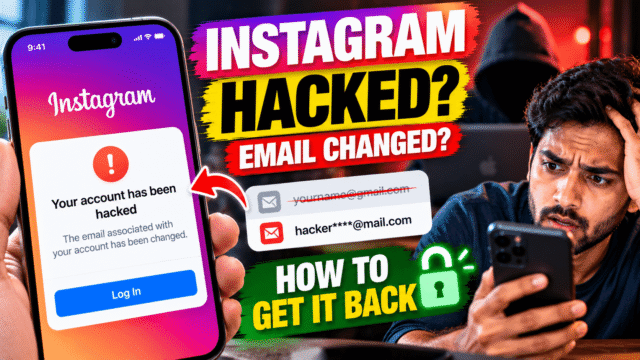
You try to log in and your password doesn’t work. You tap “Forgot password” and Instagram offers to send a link to an email address you’ve never seen. Someone has taken your account, and they’ve changed the details you’d normally use to get it back.
I know how this feels. But an account with a changed email isn’t lost for good. Instagram has a recovery route built for exactly this situation, and the first step often takes less than a minute if you act quickly.
Here’s the order I’d work through, starting with the fastest fix.
Step 1: Look for Instagram’s “email changed” message
When the email address on your account changes, Instagram sends a message to the old address. That message usually includes an option to reverse the change, often labelled something like “revert this change” or “secure your account”.
This is the quickest way back in, because it returns the account to your email before you do anything else.
- Open the inbox of the email address you used for Instagram.
- Search for messages from Instagram sent around the time you lost access. Check your spam and promotions folders too.
- Open the message about your email being changed and tap the link to reverse it.
- Follow the prompts to set a new password.
Two cautions. First, the link doesn’t last forever, so do this as soon as you notice. Second, hackers send fake Instagram emails too. Genuine security messages come from Instagram’s own addresses, such as [email protected], but the sender name alone isn’t proof. If you can still get into the app on any device, you can check (see the section on spotting fake emails below).
If you can’t find the message, or the link has expired, move to step 2.
Step 2: Use Instagram’s hacked account page
Instagram has a dedicated recovery flow at instagram.com/hacked. You can also reach the same options from the login screen in the app.
- Open the Instagram app and go to the login screen.
- On Android, tap Forgot password or Get help logging in. On iPhone, tap Forgot password.
- Enter your username, or the email or phone number you used to have on the account.
- If Instagram offers to send a link or code to an address or number you still control, use it.
- If the only options are the hacker’s details, look for Can’t access this email or phone number?, Need more help? or Try another way.
The exact wording changes from time to time, and Instagram shows different options depending on your account, your device and where you are. The aim is to reach the option that says you no longer have access to the email or phone on the account.
From there, Instagram usually asks for an email address it can contact you on. Use an address that only you can access and that isn’t linked to another Instagram or Facebook account.
Tip: try this from a phone or computer you’ve logged into Instagram on before, and from your usual Wi-Fi or mobile network. Instagram recognises devices and locations you normally use, and a familiar device can open up easier recovery options.
Step 3: Prove it’s you with a video selfie
If Instagram can’t confirm you through email or phone, it may ask you to verify your identity. For many personal accounts, that means a short video selfie.
How the video selfie works
You record a few seconds of video of your face, usually turning your head in different directions when the app asks. Instagram compares it with the photos on your account to check that you’re the same person.
Meta says the video is used only to confirm who you are, it isn’t posted on your profile or shown to anyone, and the facial data is deleted once the check is done.
A few things make it more likely to work:
- Record in good, even light, facing the camera.
- Remove sunglasses, hats and anything covering your face.
- Use the camera on your phone, not an old video.
- Follow the on-screen prompts exactly, and don’t rush the head turns.
What if there are no photos of you on the account?
The video selfie only works if your face appears in the account’s photos. For business pages, meme accounts or accounts that only post products or artwork, Instagram has nothing to compare it with.
In that case, Instagram may ask for other details instead, such as the email address or phone number you signed up with, and the type of device you used when you created the account. Answer as accurately as you can. If you have old emails from Instagram, invoices for ads or anything else that ties you to the account, keep them ready.
How long does it take?
Instagram doesn’t publish a fixed time. Some people get a reply within hours, while others wait several days. Check the email address you gave, including spam, and reply to any follow-up request promptly. If you’re sent a reset link, use it straight away, because it expires.
Step 4: If your Instagram is linked to Facebook
If your Instagram account is linked to your Facebook account through Accounts Center, you may be able to use Facebook to get back in.
On the Instagram login screen, look for an option to log in or reset your password using Facebook. If the hacker hasn’t also taken your Facebook account, this can be the fastest route.
If both accounts were taken, start with Facebook’s own recovery page at facebook.com/hacked, then come back to Instagram. Meta’s newer support hub in the Facebook and Instagram apps also brings these options together in one place, and Meta has added an AI support assistant to the apps that can help with some account problems.
Don’t pay anyone who offers to “recover” your account
This is where a bad day can turn into a worse one.
Within hours of posting that you’ve been hacked, you’ll probably get messages from accounts claiming to be “Instagram recovery experts”, “Meta support” or ethical hackers who can get your account back for a fee. Some have glowing comments under their posts. They are almost always scammers.
Remember:
- Instagram doesn’t charge to recover an account, and it doesn’t contact users through DMs, comments or WhatsApp to offer recovery.
- Nobody outside Instagram can reverse an email change for you.
- Anyone who asks for your password, a login code or payment in crypto or gift cards is trying to take more from you.
If someone is threatening you, asking for money to return your account, or using your account to cheat your followers, report it to the police. In India, you can call the national cybercrime helpline on 1930 or report it at cybercrime.gov.in.
Warn your friends while you wait
Hackers often use a stolen account to message your followers, usually with fake investment offers, “I’m stuck, please send money” requests or links that steal their accounts too.
While you’re locked out, post a short warning from another account, or message close friends and family on WhatsApp or by phone. Ask them to report the account and ignore any requests for money or codes.
You can also ask friends to report your account as hacked from their own Instagram. Go to the profile, tap the three dots, then Report, and choose the option for an account that has been hacked or is pretending to be someone.
Once you’re back in: lock it down
Getting the account back is half the job. Do these straight away, in this order.
- Change your password. Go to Settings, then Accounts Center, then Password and security, then Change password. Use a new password you’ve never used anywhere else.
- Log out unknown devices. In the same Password and security section, open Where you’re logged in and log out of any phone, computer or location you don’t recognise.
- Check your email and phone number. Go to Accounts Center, then Personal details, then Contact info, and remove anything the hacker added.
- Turn on two-factor authentication. Go to Accounts Center, then Password and security, then Two-factor authentication. An authenticator app is the strongest option, but SMS or WhatsApp codes are far better than nothing. Save the backup codes somewhere safe, offline.
- Check connected apps and websites. Remove any you don’t use or recognise.
- Secure your email account too. If the hacker got into your Instagram through your email, change that password and turn on two-factor there as well. Your email is the key to almost every other account.
- Check your profile. Look for changes to your name, bio, links and posts, and restore anything that was deleted from Recently Deleted in your profile settings, if it’s still there.
Two-factor is the step that matters most. In a wave of Instagram takeovers in 2026, where attackers tricked Meta’s AI support assistant into changing account emails, reports suggested accounts protected by two-factor authentication were much harder to take. Meta said it had fixed that problem, but the lesson stands.
How to spot a fake “Instagram security” email
Many hacks start with an email that looks like it’s from Instagram, warning that your account will be suspended or that someone has logged in, with a button to “secure your account”.
To check whether a message is real:
- Don’t tap anything in the email.
- Open the Instagram app yourself.
- Go to Settings, then Accounts Center, then Password and security, then Recent emails.
This screen lists the security emails Instagram has actually sent you recently. If the message in your inbox isn’t listed there, it’s fake. Delete it.
Quick Answers
Can I recover my Instagram if the hacker changed my email and phone number?
Yes, in many cases. First check your old email for Instagram’s message about the change and use its link to reverse it. If that’s not available, use the “Can’t access this email or phone number” option in Forgot password or at instagram.com/hacked, and verify your identity, often with a video selfie.
How does Instagram’s video selfie verification work?
You record a short video of your face turning in different directions. Instagram compares it with photos on the account. Meta says the video isn’t shown to anyone and the facial data is deleted after the check.
What if my account has no photos of me?
The video selfie won’t work, so Instagram may ask for other details, such as the email or phone number and device you used to create the account.
How long does Instagram take to recover a hacked account?
There’s no fixed time. Replies can take from a few hours to several days. Watch the email address you gave Instagram, including spam.
Should I pay a recovery service to get my Instagram back?
No. Instagram recovery is free, and people offering paid recovery in DMs or comments are almost always scammers.
Does two-factor authentication stop Instagram hacks?
It stops most of them, and it’s the most important protection you can turn on. It isn’t a guarantee, though. In a 2026 incident involving Meta’s AI support assistant, some people reported losing accounts that had two-factor switched on.
How do I know if an Instagram email is real?
Open the app and go to Settings, then Accounts Center, then Password and security, then Recent emails. If the email isn’t listed there, it’s fake.
Bottom Line
When a hacker changes your Instagram email, speed matters more than anything. Check your old inbox for Instagram’s “email changed” message and reverse it first. If that fails, use instagram.com/hacked or the “Can’t access this email or phone number” option, and complete the video selfie check carefully on a device you’ve used before. Ignore anyone who offers to recover your account for money. Once you’re back in, turn on two-factor authentication and secure your email, so the same thing is far less likely to happen again.