Table of Contents
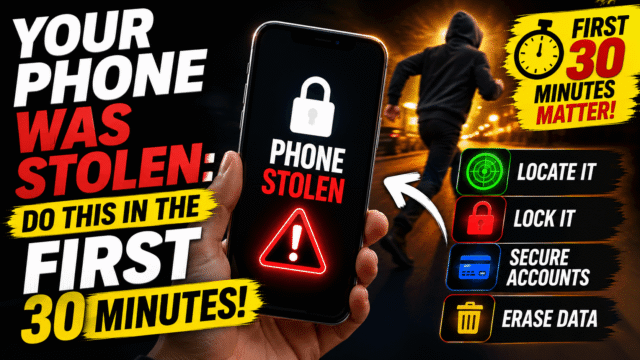
Your Phone Was Stolen: The First 30 Minutes That Matter Most
Your hand goes to your pocket and finds nothing. That cold drop in your stomach is followed immediately by the wrong instinct, which is to do something drastic right now: wipe the phone, call the carrier, panic-change every password.
Hold on for sixty seconds, because two of those instincts are actively counterproductive in the first minutes, and the correct order genuinely changes the outcome. Wiping too early can cost you the ability to track the phone. Calling your carrier too early can cut the very connection your remote commands need to reach it.
Here’s the sequence that actually protects you, timed for the first half hour, on either platform. Borrow a laptop or a friend’s phone and start at minute one.
Minutes 1–3: Mark It Lost (Don’t Wipe Yet)
This is the first move, and everything else waits for it. While the phone is still online, remote commands can reach it, so lock it down before doing anything that might sever that connection.
iPhone: go to icloud.com/find in any browser, sign in with your Apple Account, select the device, and choose Mark As Lost. The phone locks with your passcode immediately, Apple Pay cards and passes are suspended, and you can display a message with a contact number on the lock screen.
Android: go to android.com/find or use the Find Hub app on someone else’s phone, sign in, select the device, and choose Secure device (also shown as Mark as lost). It locks the phone with your PIN, pattern, or password, displays your message, and signs out of your Google account while keeping tracking active.
Why not erase right now? Because on Android, once you erase, you can no longer track the device through Find Hub, and the reset may only complete the next time the phone comes online. Apple’s system is more forgiving here: on iOS 15 or later you can still locate an iPhone after erasing it. Either way, marking it lost buys you the security benefit (locked screen, suspended payments) without spending your tracking ability, and it leaves the door open for an honest finder to call you.
One critical Apple-specific warning: do not remove the device from your Find My list, even after erasing. Removing it also removes Activation Lock, which is the thing making the phone useless and unsellable to a thief.
Minutes 3–10: Money and Messaging
With the phone locked, protect what a thief would actually go after.
Open your banking and payment apps on another device (or their websites) and check for unfamiliar activity. Most banks let you freeze cards instantly in-app, and if anything looks wrong, call the fraud line rather than waiting. If you use UPI apps, wallet apps, or anything with a saved payment method, the same applies.
Then sign out of your accounts remotely where the option exists. WhatsApp, for instance, lets you take over the account on a new device with your number, which kicks out the stolen phone’s session, and this matters enormously because a thief with your messaging app can run the family-emergency scam on everyone you know, from your name and your face. Same for social and email apps: most have a “sign out of all devices” option in security settings.
Minutes 10–20: The Carrier and Your SIM
Now, and specifically not before, call your mobile carrier. Report the phone lost or stolen and ask them to do two things: suspend the service on your number, and blacklist the IMEI, which blocks the handset from their network even if the thief swaps in a different SIM.
The reason this waits until step three: suspending your SIM can cut the phone’s mobile data connection, and your remote lock or erase commands need connectivity to arrive. Lock first, then cut service.
If your number lives on an eSIM, ask the carrier about transferring it to a new device, since you’ll want your number back on a phone as fast as possible for the next step.
Minutes 20–30: Passwords, From a Clean Device
Your phone number and email are the two master keys to your entire digital life, so this is where you close the door.
From a computer or another phone you trust, change your email password first, because it resets everything else. Then work down: your Apple Account or Google account, your password manager if you use one, then banking, then anything with money attached. Turn on sign-out-everywhere options as you go, and if your two-factor codes lived in an authenticator app on the stolen phone, use your backup codes now, which is exactly the scenario that makes those codes worth saving in advance.
If you find yourself locked out of the accounts you’re trying to secure, our Google account recovery guide covers the hacked-and-locked-out branch in detail, and the same principles apply across platforms.
The Police Report and Your IMEI
File a report with your local police, including the phone’s IMEI number, the unique identifier that stays with the handset regardless of SIM. You’ll find it on the original box, on your carrier account page, or in your Google or Apple account’s device list. Realistically, police rarely recover individual phones, but the report matters for two practical reasons: insurance claims usually require one, and in some countries (including India, through the government’s CEIR portal) a report enables an official IMEI block that renders the device unusable nationwide.
What Thieves Actually Want
Here’s the mental model that makes all of the above make sense: the hardware is the smaller prize. Organised phone theft increasingly targets what’s inside, because a stolen phone that can be opened is a doorway into banking apps, email, crypto, and the account resets that flow from your inbox. That’s why sophisticated thieves shoulder-surf your passcode before taking the phone, and why the first thing they try is changing your account passwords to lock you out of Find My.
Which reframes the priority: locking the device and securing the accounts beats chasing a dot on a map. And it’s the reason for the one rule that overrides everything else here: never go to the location yourself. People have been seriously hurt confronting phone thieves, and no device is worth it. If the map shows a location and you want it pursued, that’s information for the police, not an invitation.
Ten Minutes of Prevention, For Next Time
Do these on your current phone tonight, because none of them can be enabled after the theft.
- Turn on the tracking tools. iPhone: Settings, your name, Find My, Find My iPhone, and switch on Send Last Location. Android: Find Hub is on automatically with a Google account, but confirm it, and set a PIN so the crowdsourced finding network works.
- Turn on iPhone’s Stolen Device Protection (Settings, Face ID & Passcode). It requires biometric authentication for high-risk changes when you’re away from familiar locations, which specifically defeats the shoulder-surfed-passcode attack. Android’s theft protection features do something similar, including automatically locking the phone when it detects a theft-like motion.
- Use a long passcode, not four digits, and prefer biometrics for unlocking in public.
- Save your two-factor backup codes somewhere off the phone, and move your critical accounts to passkeys, which survive this scenario far better than SMS codes tied to a stolen number.
- Know where your IMEI is written down, before you need it.
Quick Answers
Should I erase my stolen phone immediately?
Not first. Mark it as lost to lock it and suspend payments while keeping tracking alive. On Android, erasing ends your ability to track it, so treat erasing as the final move once recovery looks unlikely.
Why shouldn’t I call my carrier first?
Suspending your SIM can cut the phone’s data connection, and your remote lock and erase commands need that connection to arrive. Lock the phone first, then call.
Can a thief use my phone if it’s locked?
Modern phones are encrypted and Activation Lock or Factory Reset Protection makes a locked device largely unusable and unsellable, which is why you should never remove the device from your Find My list.
What if the phone is offline or switched off?
Issue the lock or erase anyway; the command executes the next time it connects. iPhones with Send Last Location report their final position, and both platforms use crowdsourced networks that can locate offline devices.
Does filing a police report actually help?
Usually not for recovery, but it’s typically required for insurance and, in some countries, enables an official IMEI block that stops the phone working on any network.
The Bottom Line
The first thirty minutes have an order, and it isn’t the panicked one. Lock the phone before you cut its connection, secure your money and messaging while it’s locked, call the carrier for the SIM suspension and IMEI block, then change your passwords from a device you trust, starting with email. Erase only when you’ve accepted the phone is gone, and never delete it from Find My. Do that and a stolen phone stays what it should be: an expensive, infuriating inconvenience, rather than the doorway into everything else you own. Then spend ten minutes tonight on the prevention list, because every single one of those settings has to exist before the moment your pocket comes up empty.