Table of Contents
A text says your reward points expire on Friday. The logo looks right, the link looks close enough, and the message even has a point balance in it. It’s a scam, and it was built to get past the spam filter on your phone.
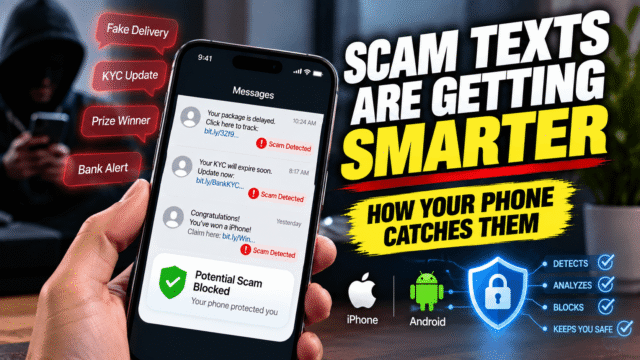
Scam texts have changed. Most of them no longer look like bad copies of a bank message. They’re mass-produced, tested and rotated faster than filters can learn them. Your phone has changed too. Google and Apple both shipped new scam protection this month, and some of it is already switched on for you. Some of it isn’t.
Here’s what your phone now catches, what it still misses, and the settings worth checking today.
Why Scam Texts Are Harder to Spot Now
Scammers now treat texting like a marketing campaign. They write hundreds of versions of the same message, send them from new numbers and swap the website every few days. When one gets blocked, the next one is already on its way.
One running example: a fake T-Mobile “rewards points are about to expire” text that has been going around since May 2026. Security researchers tracking it counted more than 1,000 message templates and at least 81 different lookalike domains in four months. The wording barely changes. The point balance, the expiry date and the greeting do, and those small changes are enough to slip past filters that look for exact matches. The fake site then asks for your login, card details and the verification code sent to your phone.
The playbook hasn’t changed much, even though delivery has. In the US, people reported losing $470 million to scams that started with a text in 2024, and the five most common types were:
- Fake package delivery alerts asking for a small redelivery fee
- Job offers, including “task” jobs that pay you before asking you to pay in
- Fake fraud alerts about a purchase or a blocked bank account
- Unpaid toll notices
- “Wrong number” texts that turn into friendship, then romance, then an investment pitch
India sees its own versions. Fake traffic challan messages on WhatsApp have been sending an APK file named to look like an RTO e-challan app. Security researchers who took one apart found it asks for permission to read and send SMS, then quietly grabs your OTPs along with card numbers, UPI PINs and Aadhaar details you type into it.
Pixel Has Three Scam Systems, and Each Has Its Own Rules
This is the part most coverage blurs. A Pixel doesn’t have one scam feature. It has three separate systems, and each one has its own list of countries, its own phone models and its own on or off switch. Getting one of them tells you nothing about whether you get the others. An Irish Pixel 9 owner gets call warnings but not the new chat warnings. A Singapore Pixel 7 owner gets the new chat warnings but not call warnings.
Chat App Warnings (New This Week)
Google’s September Pixel Drop, which started rolling out on September 15, 2026, added scam warnings for chat app notifications. If a message arriving in an app other than your default texting app looks like a scam, your Pixel shows a “Likely scam” label on the notification before you even open it. That covers apps like WhatsApp.
- Countries: India, the UK, Australia, Canada, Singapore, Germany, Mexico, Japan and France
- Phones: Pixel 6 and newer
- Languages: English, Arabic, French, German, Japanese, Portuguese and Spanish
- Switch: none. Once the update lands, the label simply starts appearing.
The checking happens on the phone itself, so your messages aren’t sent anywhere to be scanned. US Pixel owners get a different version. Instead of labels on notifications, Gboard shows a warning above the keyboard when you start replying to a suspicious message in a chat app. That keyboard warning is US-only for now.
Scam Detection Inside Google Messages
Google Messages watches your regular texts and RCS chats for scam patterns, separately from the chat app warnings above. The newest version runs on an on-device Gemini model and is better at catching slow scams like fake job offers and “pig butchering” romance scams, where a stranger builds trust over weeks before the money request arrives. That upgraded version is limited to the Pixel 10 and Galaxy S26 in the US, Canada and the UK.
Scam Detection for Calls
Call Scam Detection listens for scam patterns during a phone call and warns you on screen. It is the strictest of the three.
- Countries: the US, UK, Australia, Canada, France, Germany, India, Ireland, Italy, Japan, Mexico, Singapore and Spain
- Phones: Pixel 9 or newer outside the US. In the US, Pixel 6 and newer are supported.
- Switch: off by default. Open the Phone app, tap the menu, go to Settings, then Scam Detection and turn it on.
- Catch: it only works with a SIM from one of those countries while you’re in that country, and it doesn’t run on calls from saved contacts.
In India it understands both Hindi and English. The audio is processed on the phone and isn’t recorded or sent to Google.
What Other Android Phones Get
You don’t need a Pixel for the basics. Google Messages has had spam protection for years, and it’s on by default on any Android phone that uses it. It only looks at conversations with people who aren’t in your contacts. To check it, open Messages, tap your profile picture, go to Protection & Safety and make sure Spam protection is turned on.
Samsung is bringing its own call Scam Detection to India, Japan and Canada with One UI 9, which started rolling out on September 16. That one covers calls, not texts, and Samsung says availability depends on your model and region.
What Your iPhone Does
Apple’s filtering is quieter but useful. Since iOS 26, the Messages app can move texts from unknown numbers out of your main list.
Screen Unknown Senders
Open Messages, tap the filter icon in the top corner, then Manage Filtering. Turn on Screen Unknown Senders. Texts from anyone who isn’t in your contacts now go to a separate Unknown Senders list with a small badge instead of a notification. Filter Spam is already on by default and sends suspected spam to its own folder. If a real message ends up in the wrong place, open it and tap Mark as Known or Not Spam.
One detail worth setting: the Allow Notifications option lets through time-sensitive texts from unknown numbers, like delivery updates and verification codes, so you don’t miss the one you’re actually waiting for.
Impersonation Risk Detection in iOS 27
iOS 27, released on September 14, adds something different. Impersonation Risk Detection watches for signs that someone is coaching you through a payment or an account change, which is how “your account is under attack, move your money to a safe account” scams work. When a supporting app asks, your iPhone tells it whether the risk looks unknown, medium or high, and the app can add an extra check or warning. Apple says it doesn’t read your Messages, Mail or Photos to decide.
It’s off by default. Turn it on in Settings, then Privacy & Security, then Impersonation Risk Detection, and switch on Share with App Developers. Apple hasn’t said which apps support it yet, so treat it as a safety net that will get more useful as banks adopt it.
What No Filter Will Catch
Every one of these tools looks for patterns. That leaves gaps.
A message from a saved contact whose WhatsApp account was hijacked sails straight past contact-based filters. A link sent by a real friend who fell for something gets the same trust. And a well-written scam that asks you to call a number, rather than tap a link, gives a filter very little to work with.
So the red flags still matter more than any setting:
- The message is urgent. Points expiring tonight, an account frozen in an hour, a parcel returned tomorrow.
- It asks for a small fee. Nobody needs your full card details to collect a ₹25 or £1.50 redelivery charge.
- The link is almost right. A brand name followed by extra words and an odd ending like .top or .xyz is not the company’s website.
- It wants a code. No bank, courier or telecom company will ever ask you to read back an OTP.
- It moves you to another app. A “recruiter” who shifts you from SMS to Telegram, or a stranger who moves from WhatsApp to a trading app, is following a script.
- It comes with a file. An APK attachment on WhatsApp is never a government app. Real challans are checked on the official Parivahan site.
A Quick Check for Indian Readers
In India, the sender name gives you a quick extra check. Business texts now carry a letter at the end of the sender ID: P for promotional, S for service, T for transactional and G for government. Your bank’s OTPs and alerts arrive from a named sender ending in T or S. A “bank” message from an ordinary ten-digit mobile number should make you suspicious straight away.
The safest habit is also the most boring one. Don’t tap the link. Open the company’s app or type its website yourself, and check there.
How to Report Scam Texts
Reporting helps block the next wave, and it takes less than a minute.
- In India: Report scam calls, texts and WhatsApp messages on Chakshu, part of the government’s Sanchar Saathi portal and app. Chakshu is for attempts where you haven’t lost money. If money has already left your account, call 1930 straight away or file a complaint at cybercrime.gov.in. Speed matters here, because the sooner the bank is told, the better your chance of freezing the transfer.
- In the UK and US: Forward the scam text to 7726, which spells SPAM on a keypad. It’s free, and it tells your carrier which numbers to block. In the US, you can also report it at ReportFraud.ftc.gov.
On any phone, use the Report spam or Report junk option inside your messaging app before you delete the message. That’s how the filters learn.
Quick Answers
Is Pixel scam detection available in India?
Yes, but in two separate pieces. Since the September 2026 Pixel Drop, Pixel 6 and newer phones in India show a “Likely scam” label on suspicious messages from chat apps like WhatsApp. Call Scam Detection needs a Pixel 9 or newer, is off until you turn it on, and works in Hindi and English.
Why does my Pixel have scam warnings for messages but not calls?
They’re separate systems with different rules. Chat app warnings work on the Pixel 6 and newer, while call Scam Detection needs a Pixel 9 or newer outside the US and has to be switched on in the Phone app settings. Having one doesn’t mean you have the other.
Do I need to turn on scam detection in Google Messages?
Spam protection is on by default. You can check it in Messages under your profile picture, then Protection & Safety. Call Scam Detection on Pixel is a different feature. It’s off by default and has to be turned on in the Phone app settings.
How do I filter unknown texts on iPhone?
Open Messages, tap the filter icon, choose Manage Filtering and turn on Screen Unknown Senders. Texts from numbers not in your contacts move to a separate list.
What is Impersonation Risk Detection on iPhone?
It’s an iOS 27 feature that warns supported apps, such as banking apps, when it looks like someone is pressuring you into a payment or account change. It’s off by default and lives in Settings under Privacy & Security.
What does -T or -S mean at the end of an SMS sender in India?
They mark the message type. T means transactional (OTPs and bank alerts), S means service, P means promotional and G means government.
What should I do if I clicked a scam link?
Don’t enter anything else. If you typed a password, change it from the real app or website and turn on two-factor authentication. If you shared card or bank details, call your bank right away, and in India call 1930 if money was taken.
Bottom Line
Scam texts are now built to beat filters, and phones have finally started fighting back with scam checks that run on the device itself. Check a few settings today: Spam protection in Google Messages on Android, call Scam Detection in the Phone app if you have a Pixel 9 or newer, and Screen Unknown Senders plus Impersonation Risk Detection on an iPhone running iOS 27. Then keep the one rule no update replaces. If a message pushes you to act fast, stop, close it, and check with the company directly.